2.8 Pin Configuration
- Start Pin Configuration from Plugins drop-down menu.
Figure 2-49. Start Pin Configuration 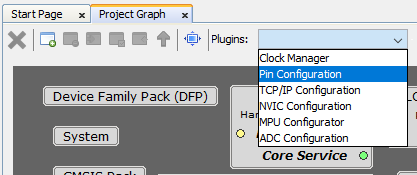
- Configure pins highlighted in red (the
other ones are auto-configured by the SHD component).
Figure 2-50. Pin Configuration (1) 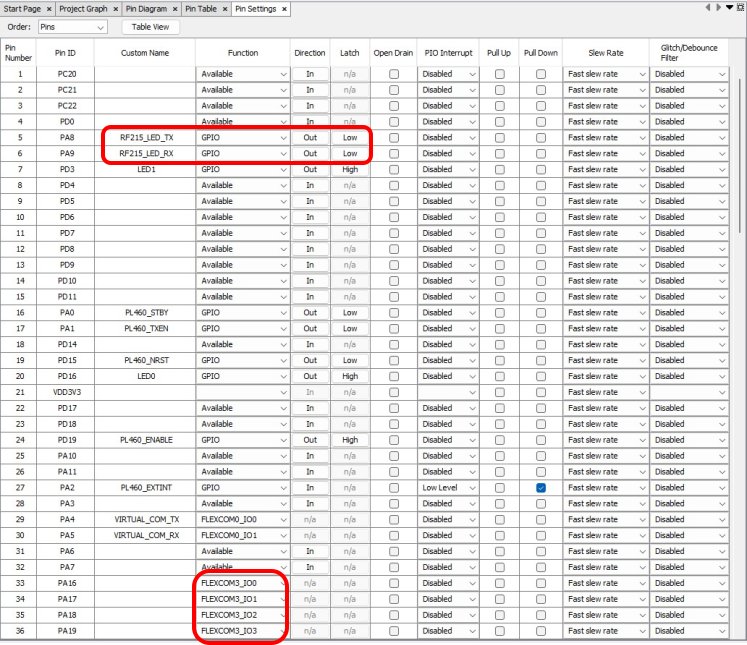
Figure 2-51. Pin Configuration (2) 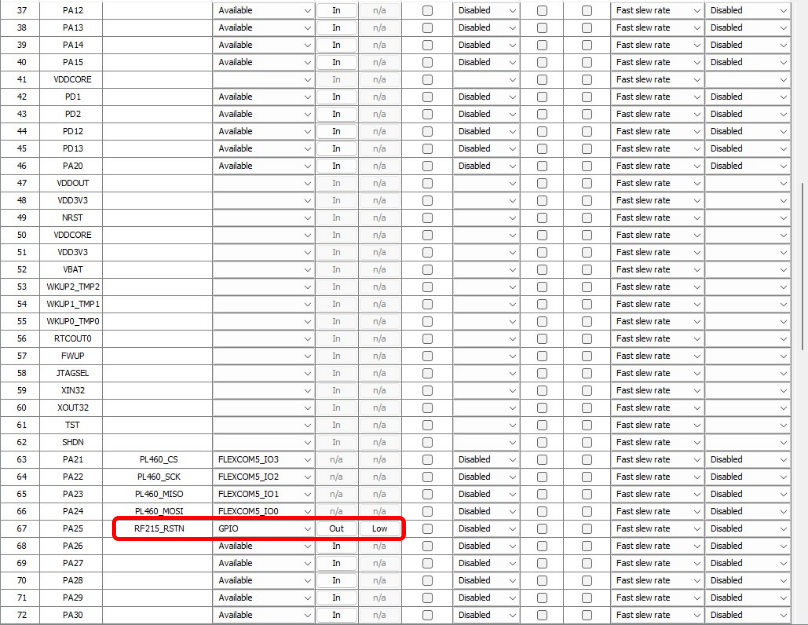
Figure 2-52. Pin Configuration (3) 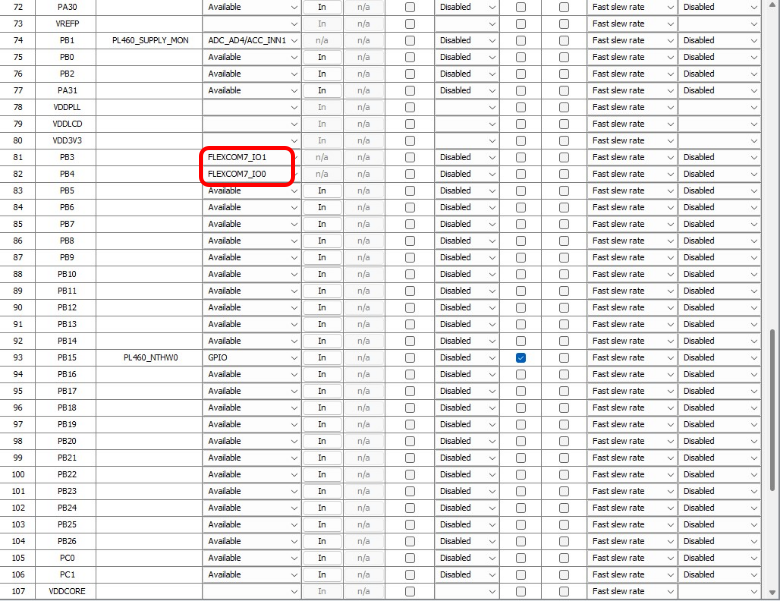
Figure 2-53. Pin Configuration (4) 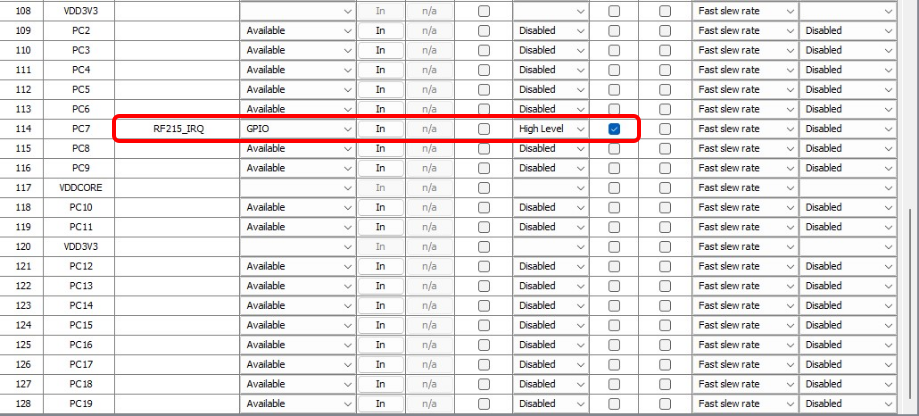
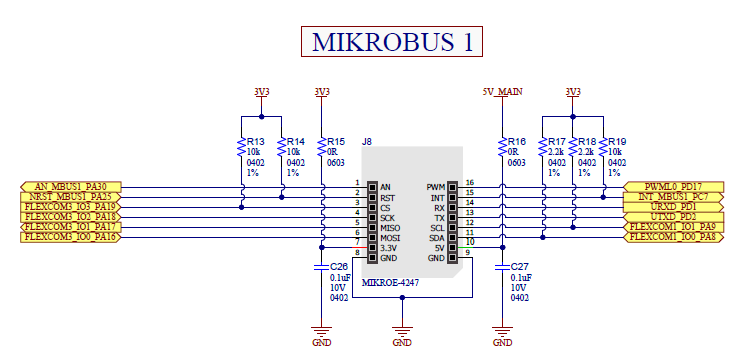
This configuration follows the Xplained-PRO and mikroBUS interfaces definition for PIC32CXMTG-EK board used on this example:
Figure 2-54. PIC32CXMTG-EK Xplained-PRO 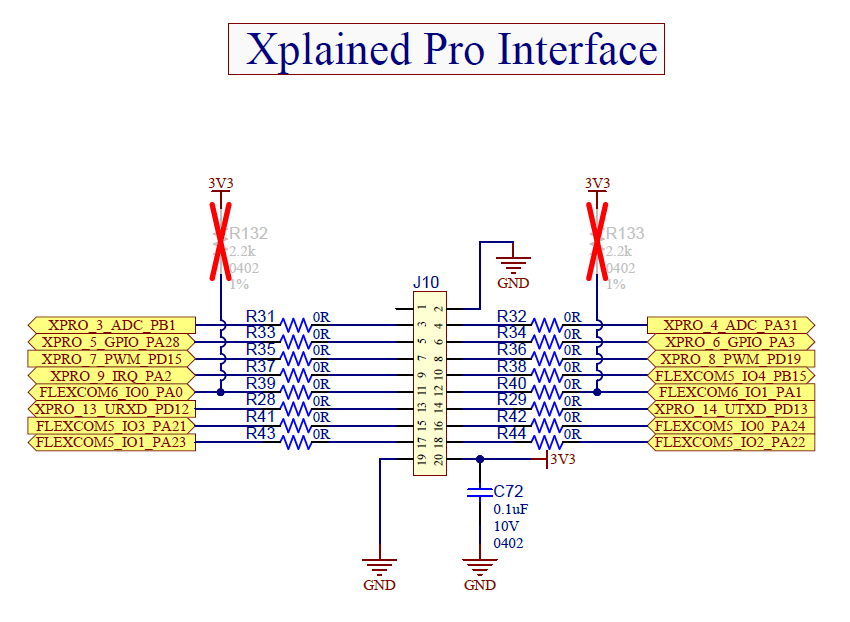
Figure 2-55. PIC32CXMTG-EK MikroBUS