
2.7 Clock Configuration
- Start Clock Manager from Plugins drop-down menu.
Figure 2-47. Start Clock Manager 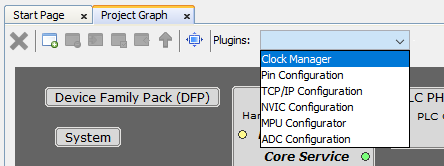
- The application demo can work with default clock configuration.
-
Verify that PLLACK0 is 20000000 Hz
-
Verify that PLLACK1 is 200000000 Hz
-
Verify that PLLABCK is 240000000 Hz
-
Verify that MCK0 is 200000000 Hz
-
Verify that MCK1 is 240000000 Hz
Figure 2-48. Clock Configuration 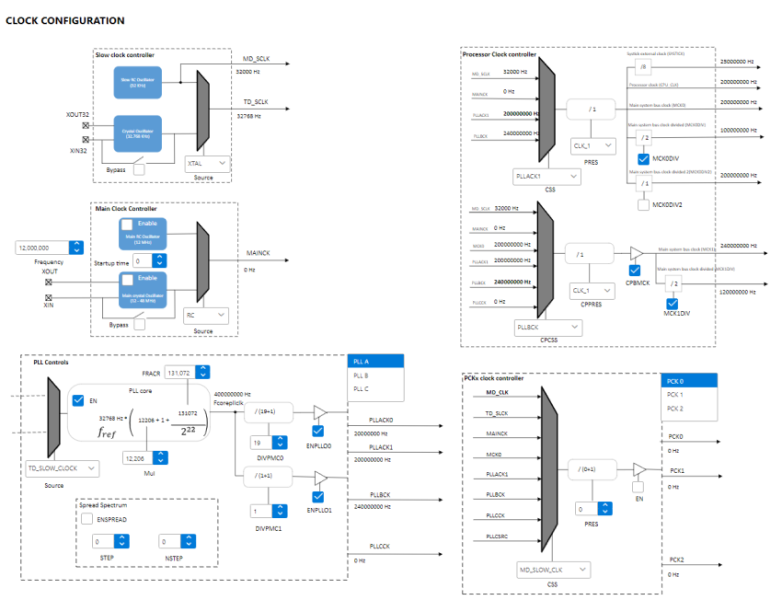 Note: This setting is valid for PIC32CXMTG devices, other devices will have different clock settings. For additional information, refer to the device Data Sheet.
-