1.1.9 How to Configure Timers for Touch Projects in Melody
8-bit ATtiny, AVR® DA Devices
Note: Only RTC is supported.
CAUTION: Do not change the API
Prefix field!
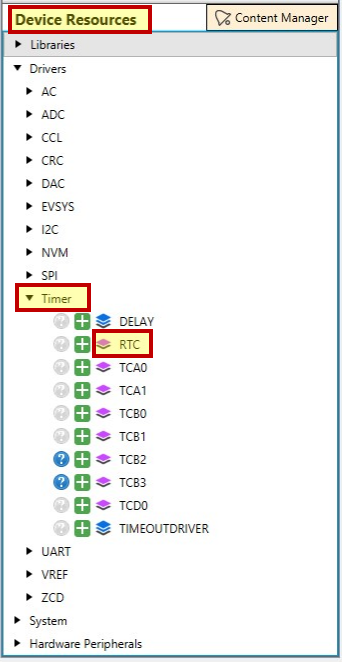
- Include
RTC from Device Resources
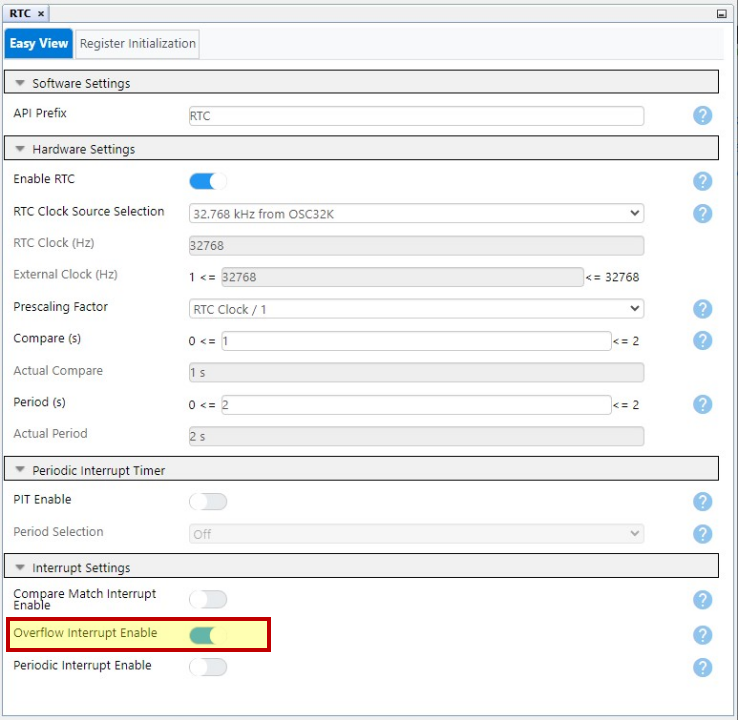
- Toggle on
the Overflow Interrupt Enable button
8-bit PIC® Devices
CAUTION: Do not change the API
Prefix field!
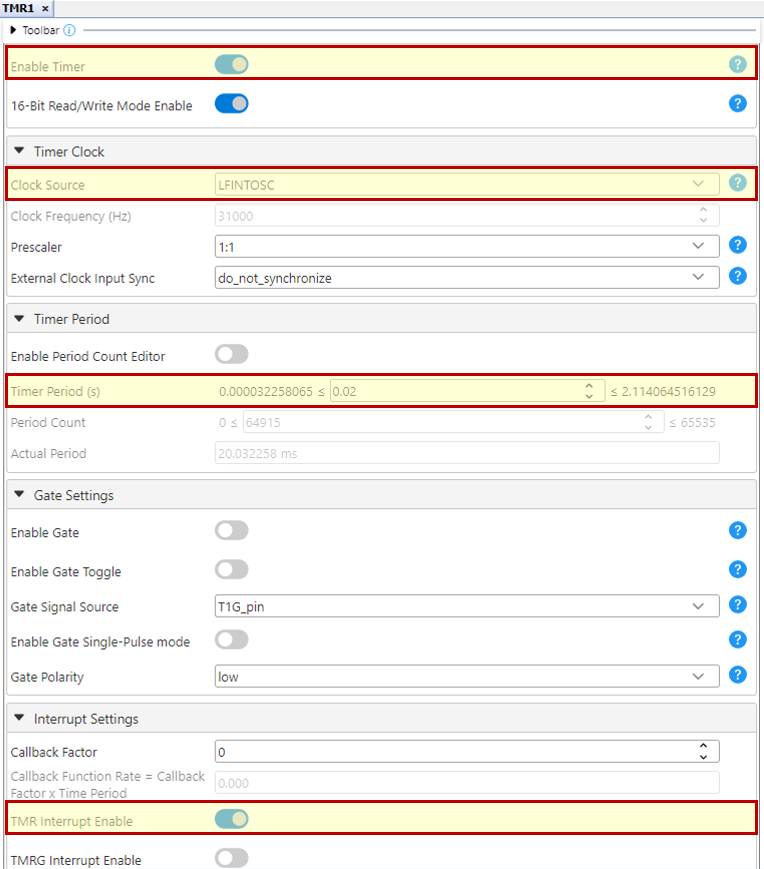
The Timer needs to be
configured manually, and it has to be selected in Touch
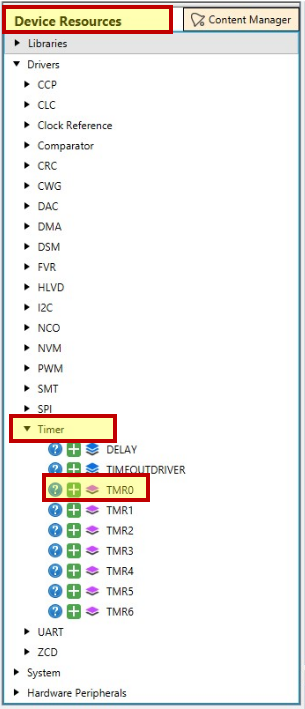
Configurator.- Include
the required timer from Device
Resources>Drivers. Timer0 (TMR0) is used
as an example here.
- Select
the same timer in Touch
Configurator>Configure>Common Parameters>Timer
Dependency
ATmega328PB, ATmega324PB Devices
CAUTION: Do not change the API
Prefix field!
The Timer can be manually configured from Touch Configurator.
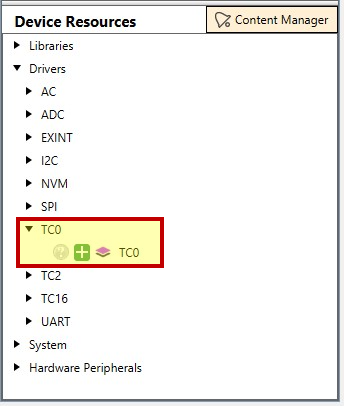
- Include the required timer from Device
Resources>Drivers. Timer/Counter0 (TC0) is
used as an example here.
- Include the
touch_timer_handlerin the Interrupt Service Routine (ISR)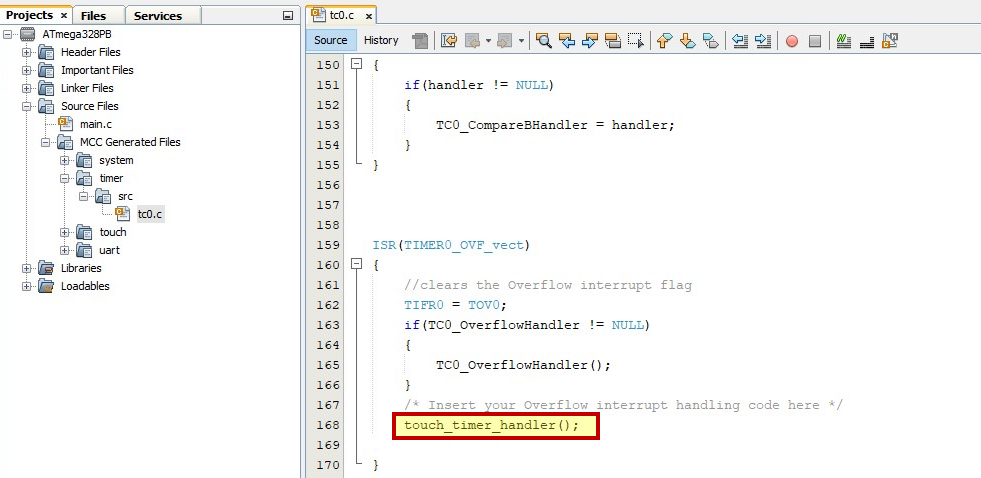
dsPIC® Devices
CAUTION: Do not change the API
Prefix field!
The Timer needs to be configured manually, and it has to be selected in Touch Configurator.
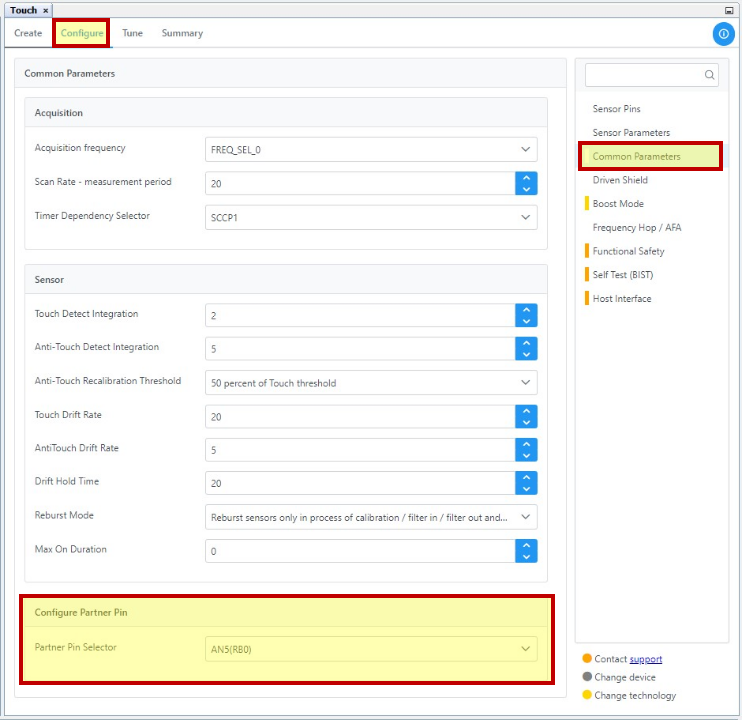
- Check if the required partner pin is selected by
going to Configure>Common
Parameters>Configure Partner Pin
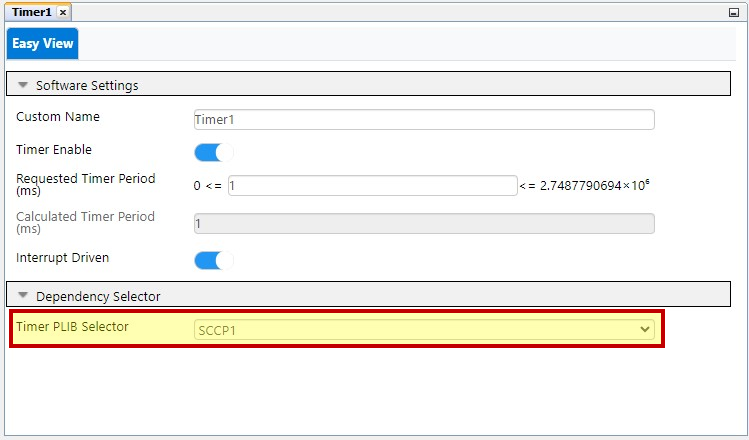
- In the Timer1 tab, select the required
timer in the Dependency Selector section
.