
13.3.1 Simulation
(Ask a Question)The following steps describe how to simulate the core using the testbench:
- Open the Libero SoC application, click Catalog tab, expand Solutions-MotorControl, double click Sequence Controller, and then click OK. The documentation associated with the IP are listed under Documentation. Important: If you do not see the Catalog tab, navigate to menu and click Catalog to make it visible.
Figure 13-2. Sequence Controller IP Core in Libero SoC Catalog 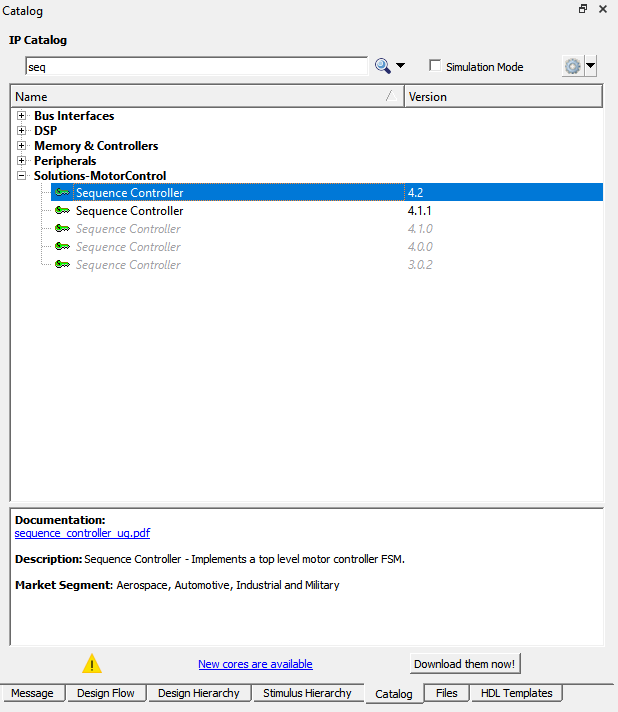
- On the Stimulus Hierarchy
tab, select the testbench (
seq_controller_tb.v), right click and then click .Important: If you do not see the Stimulus Hierarchy tab, navigate to menu and click Stimulus Hierarchy to make it visible.Figure 13-3. Simulating Pre-Synthesis Design 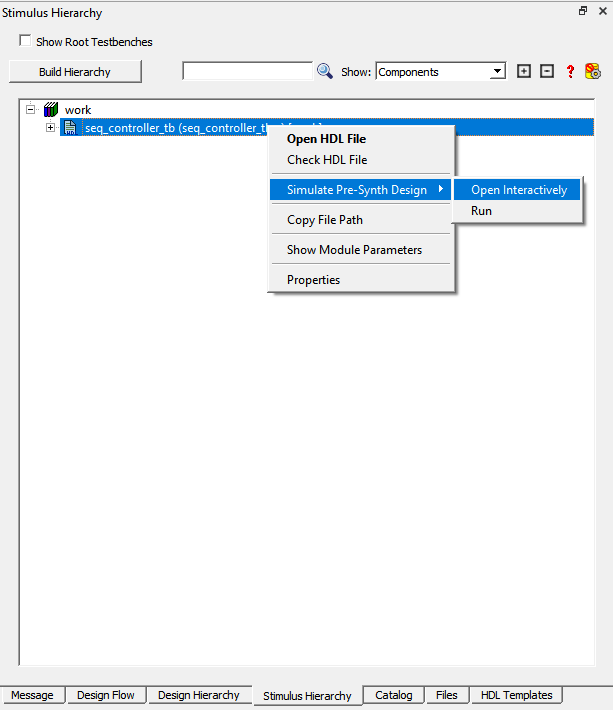
ModelSim opens with the testbench file, as shown in the following figure.
Figure 13-4. ModelSim Simulation Window 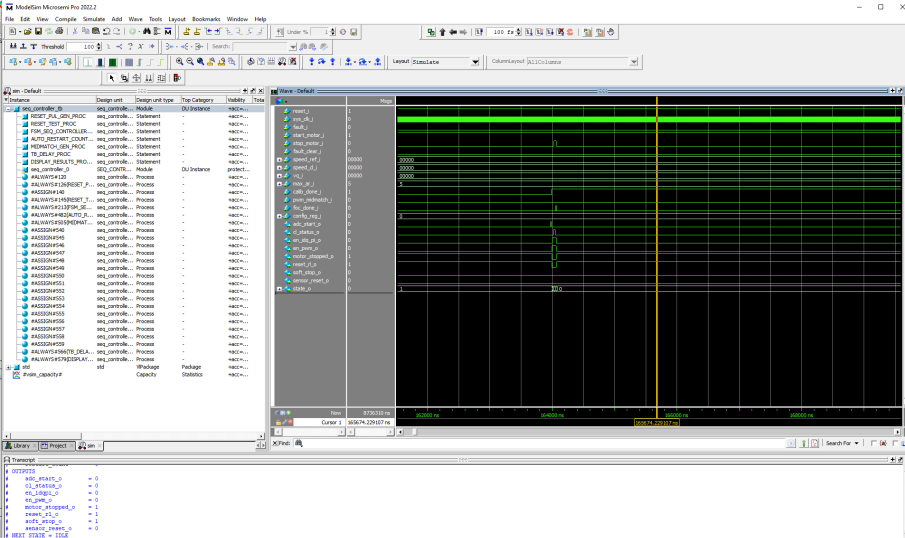
Important: If the simulation is interrupted due to the runtime limit specified in the
.do file, use the run -all command to complete the simulation.