1.3.3 Build/Compile Project

Table 1-7. Building and Compiling Projects
MPLAB X IDE MPLAB Tools for VS Code

To build or compile, use one of the following methods:
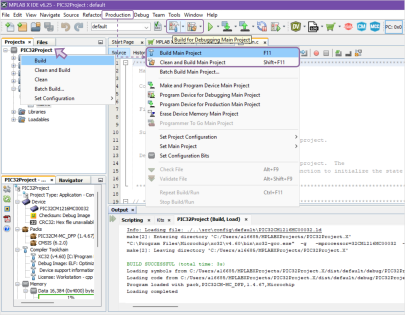
  • The Production menu,

  • The Build… icons from the toolbar, or

  • Right-click a project and select an option with Build

Figure 1-20. Build/Compile in MPLAB X IDE

To build or compile, use one of the following methods:
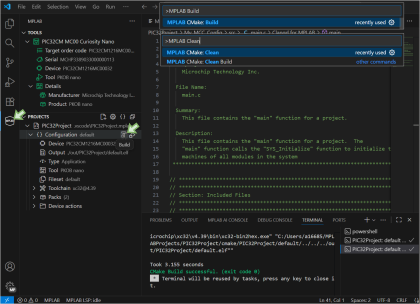
  • The command palette and type >MPLAB Build or >MPLAB Clean

  • Open MPLAB Tools from the activity bar and hover over the Build icon for the specific project or configuration, or

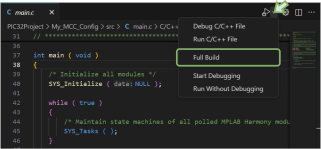
  • Click the drop-down arrow beside the Debug icon in the editor window and select Full Build

Figure 1-21. Build/Compile in MPLAB Tools for VS Code
Figure 1-22. Build/Compile from VS Code Editor

Refer to this video for a quick tutorial in VS Code: Dev Tool Bits | Start Building & Debugging with MPLAB® Tools for VS Code®.