
3.2 PC Connections
MPLAB® ICE 4 In-Circuit Emulator can connect with the PC (and MPLAB X IDE) using the connections in the table below.
| Connection Type | Connection Details | Programming and Debugging* | Trace* | MPLAB Data Visualizer Support |
|---|---|---|---|---|
| USB Type-C® (default) | HS USB 2.0 | Yes (USB 2.0) | Yes (SWO) | Yes |
| Wi-Fi | Direct or via access point | Yes | No | No |
| Ethernet | Direct or via network | Yes | No | No |
| * For speed specifications, see 10.4 PC Connection Specifications. | ||||
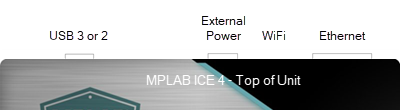
Begin with the USB (default) connection. Then switch to Wi-Fi or Ethernet using the Manage Network Tools dialog found under . For details, see the following topics.
Selecting Wi-Fi or Ethernet communication instead of USB has several uses:
- Access a target remotely. The emulator and target can be in one location and a PC in another.
- Isolate the target. Targets that need to be in a controlled environment can be separate from the PC location.
Note: MPLAB ICE 4 is intended to
work on a local network and not a wide area network.