2.1.11 Testing the Application
Once PIC32CXMTG-EK boards are programmed, follow these steps:
- Switch the boards off.
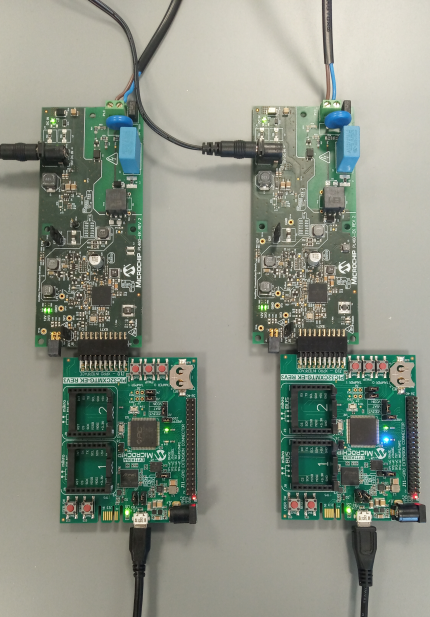
- Connect a PL460-EK to the Xplained expansion port on each of PIC32CXMTG-EK boards.
- Interconnect PLC Outputs of both PL460-EK boards.
- Power up PL460-EK boards.
- Power up PIC32CXMTG-EK boards.
The demo application on both boards sends PLC frames randomly. Each transmitted frame is
received by the other board, and this event is indicated by blinking the blue LED on the
PIC32CXMTG-EK board. The following figure shows the result of the demo running on a set
of (PIC32CXMTG-EK + PL460-EK) boards.
Note: Boards may differ from
the picture depending on revision.