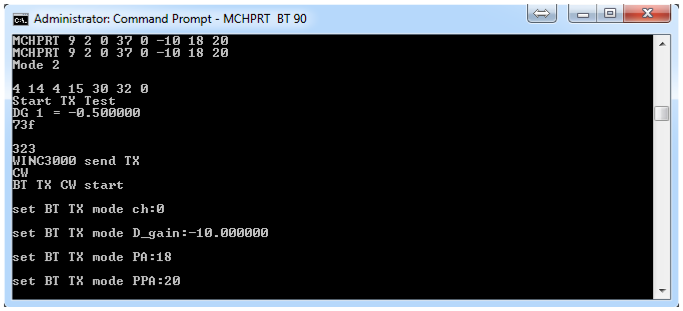
The following figure shows the example of Bluetooth CW mode.
Figure 3-27. Console Log of Bluetooth CW
Mode
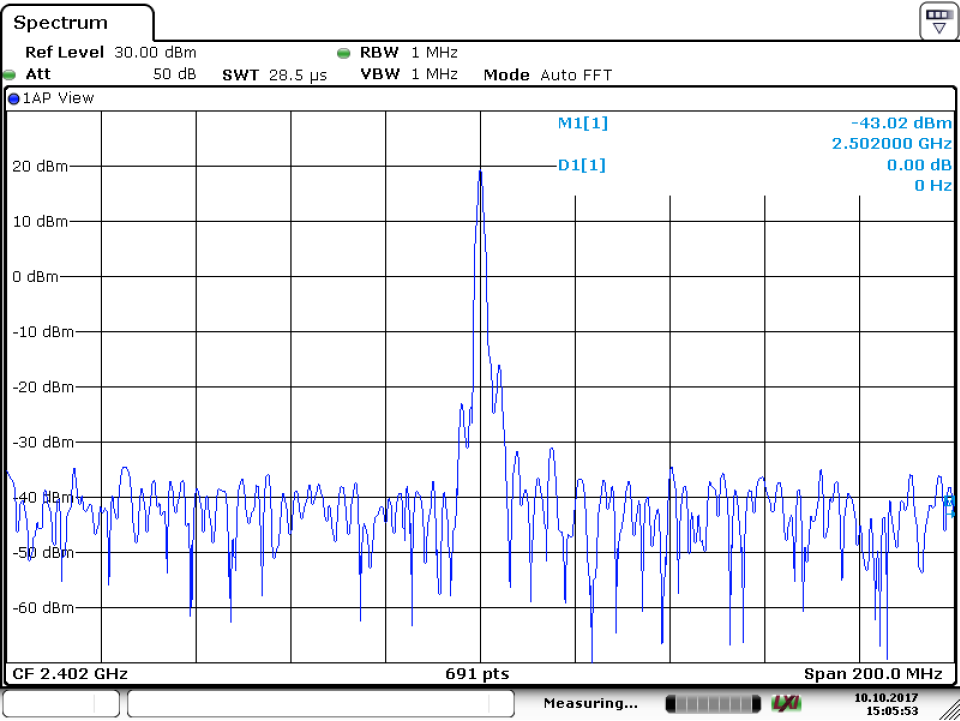
The Bluetooth CW mode starts as shown in the following figure.Figure 3-28. BT CW Mode Start
Table 3-22. Start Bluetooth TX CW: After
Bluetooth Initialization without Serial Port
Command Syntax
MCHPRT BT 8 A B C F
A
A refers to Digital Gain (Bypass
mode):
Range: -20 to 0
DG: Dynamic Gain
B
B refers PA gain (Bypass
mode):
ATWILC1000/ATWINC15X0 – 18, 15, 12, 9,
6, 3
ATWILC3000/ATWINC3400 – 18, 15, 12, 9,
6, 3
Dynamic Gain
C
C refers to PPA gain (Bypass
mode):
ATWILC1000/ATWINC15X0 – 9, 6, 3, 0
ATWILC3000/ATWINC3400 – 20, 18, 15, 12,
6, 0
Dynamic Gain
F
F refers to Frequency
offset:
-50 to +50 base on Crystal
XO: eFuse XO
value
Example
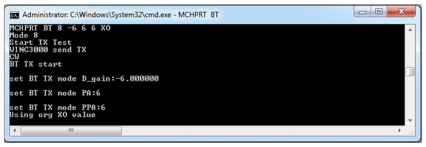
MCHPRT BT 8 -6 6 6 XO
DG – 6, PPA 6 , PA 6 CW mode
Figure 3-29. Console Log of Bluetooth CW Mode without Serial Port
The online versions of the documents are provided as a courtesy. Verify all content and data in the device’s PDF documentation found on the device product page.