8.1 Verifying the Display Functionality
This section describes how to verify the functionality of the Raspberry Pi Touch Display 2 on the SAMA7D65-Curiosity board using the DSI peripheral in the MPLAB X IDE and the Harmony v3 framework.
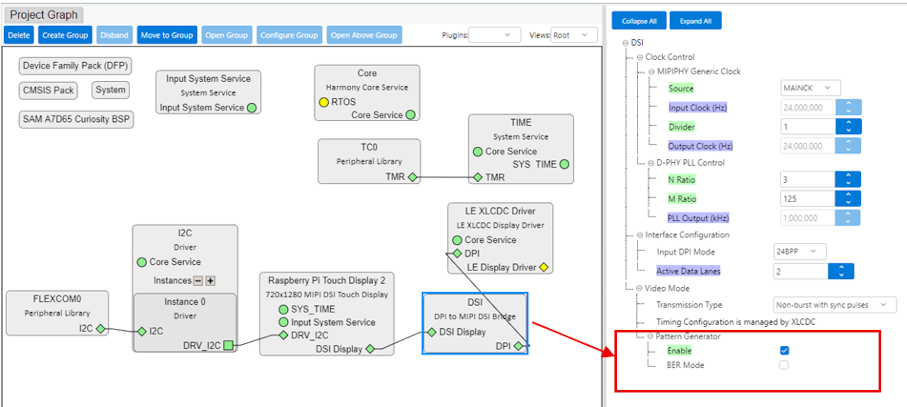
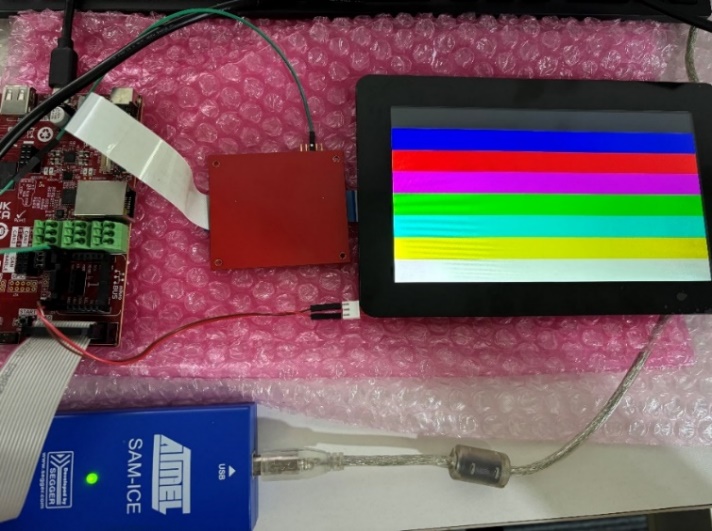
The MIPI DSI host controller features the DSI Pattern Generator, a hardware-level diagnostic tool that generates predefined display patterns. This tool is practical for performing a basic validation of the physical interface and display connectivity before moving on to GUI rendering, as it does not require a fully functional graphics pipeline.
To enable the pattern generator, configure the DSI peripheral module. Click Generate Code to update the project with the current configuration. Then, build and debug the project to check the display functionality. If there is no display, verify the FFC cable connection and ensure the DSI clock settings match the display requirements. See the figure below.