
8.9 X2Cscope Configuration Options
This section covers LNet protocol settings and configuration options for X2Cscope connections in MPLAB Data Visualizer.
Connection Settings
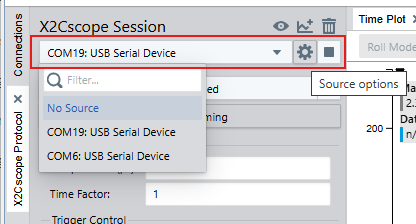
- Click the connection source selector.
- Choose the appropriate serial port.
- Baud rate: 115200 (default)
- Data bits: 8
- Stop bits: 1
- Parity: None
Scope Configuration
Scope Sample Time: This setting indicates the time between calls to
X2CScope_Update() in the firmware.
Time factor: This setting configures a divisor for how often a call to X2CScope_Update in the firmware will produce a data sample. 1 means ever y sample, 2 means ever y second sample, and so on.
See Scope Channels for details on sample time and sample time factor settings.
Saving and Loading the Configuration
X2Cscope configuration parameters, along with the content in the X2Cscope Channels and X2Cscope Watch tables, are saved in the Workspace file. The X2Cscope configuration is saved together with other settings like time plot and terminal settings, panel layout etc.
The workspace file can be loaded at a later time to recreate the setup.
Status Information
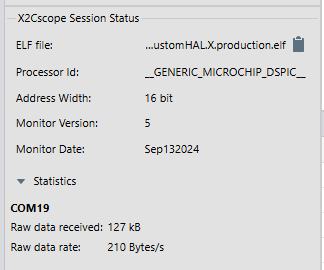
- Device type/identifier
- Firmware version
This information helps verify you are connected to the correct target.
Troubleshooting
| Issue | Possible Cause | Solution |
|---|---|---|
| Frequent timeouts | Slow main loop | Ensure X2CScope_Communicate is called
frequently. |
| Checksum errors | Baud rate mismatch | Verify baud rate matches firmware configuration. |
| No response | Wrong COM port | Check port selection in Device Manager. |
| Intermittent connection | Electrical noise | Use shorter cables, add filtering. |
| Wrong time scale | Sample time mismatch | Verify scope sample time matches firmware. |