
6.3 Step 3: Configure Serial Numbers
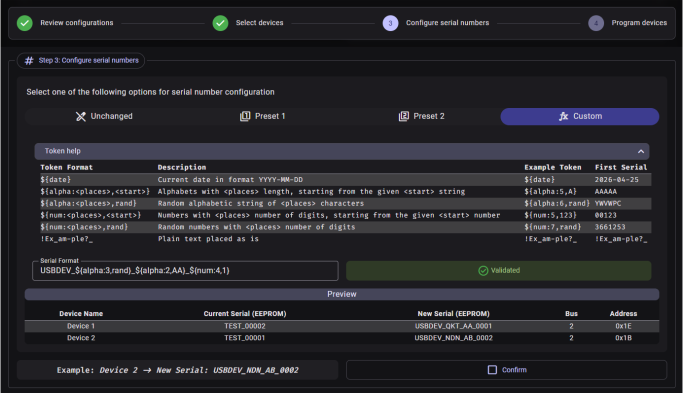
This step is enabled only after Steps 1 and 2 have been confirmed, and it configures how serial numbers will be assigned to each programmed device.
The following four options are available through a tab bar:
| Tab | Description |
|---|---|
| Unchanged | Keep the existing serial numbers on each device |
| Preset 1 | Configure a Prefix, number of Places, and Start value for sequential numbering |
| Preset 2 | Configure a Date component plus alphanumeric and numeric place and start values |
| Custom | Build a serial number format using a token-based format string |