
2.3.3 Implementation
(Ask a Question)The μPROM can be implemented using the Configurator available in the
Catalog tab. To invoke the configurator:
- Expand Memory & Controllers in the Catalog.
- Do one of the following to invoke the μPROM Configurator:
- Double click or right click PF μPROM and select Instantiate in design_name to instantiate the μPROM in the SmartDesign canvas.
- Double click or right click PF
μPROM and select Configure Core. Enter a component name for the μPROM
when prompted.
Figure 2-36. µPROM Core in Catalog 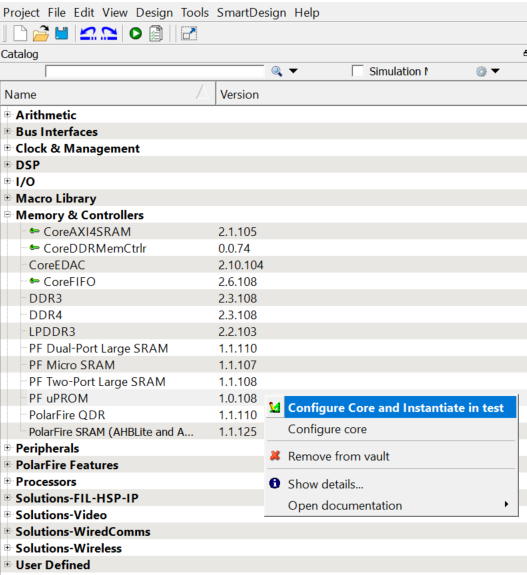
- In the μPROM Configurator, click
Add Clients to System to add a client to the μPROM. The following figure
shows the μPROM Configurator. Only the client is programmed and not all the content
is erased during programming.
Figure 2-37. µPROM Configurator 