
5.1.3.6 Take a Snapshot of Data
- Start the motor by clicking the SW1 button.
- Observe the IQ/RPM value change in the Data Visualizer plot.
- Set the metadata drop down menu from the
Capture and Upload Data window.
Figure 5-22. Capturing Data with MPLAB® ML Data Collector 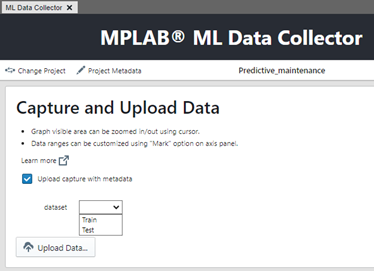
- Click Upload Data.
Duration is set to 5 seconds.
Figure 5-23. Data Snapshot Source and Duration Selection 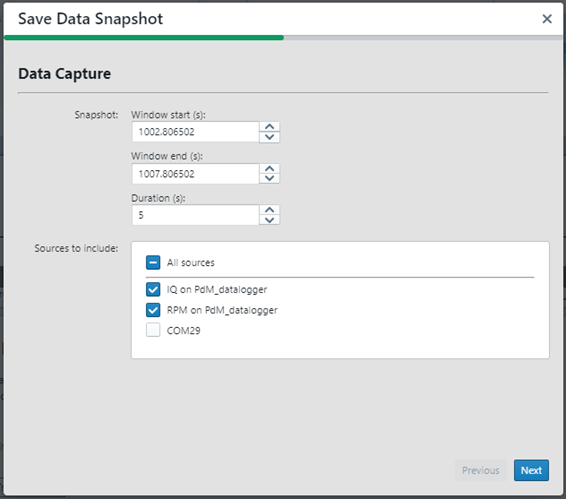
- Click Next.
- Select the File Format options.
Figure 5-24. Data Snapshot File Format Selection 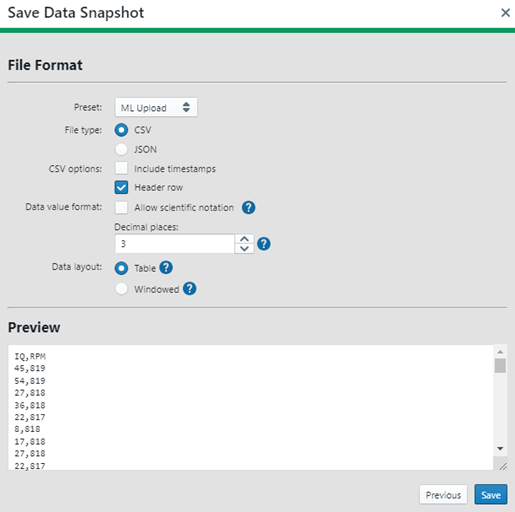
- Save the file with a sequence number at the end (for this project “normal_operationX” or “unbalance_motorX”, where X is the snapshot number, starting at 1).