
4.8.1 Dashboard Window
The Dashboard window is an area onto which widgets or data sources can be dragged and used to control or display application parameters. Available widgets are shown on the Dashboard Widgets Tab.
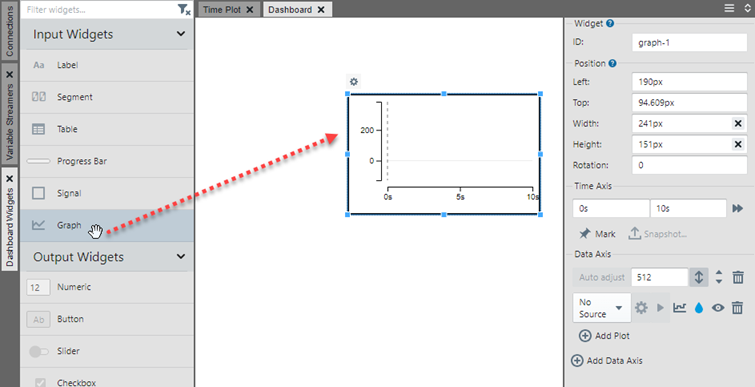
As an example, dragging the Graph (Input Widget) to the Dashboard results in widget graph-1 which may be set up by dragging the graph handles to resize and/or using the Widget Control Pane.
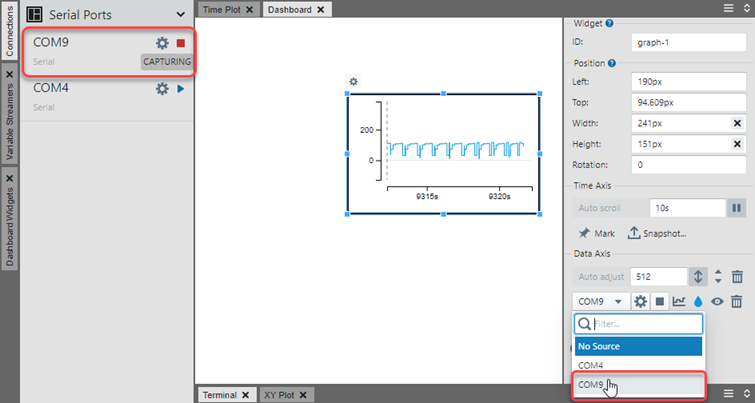
Click on the Connections tab to find the data source you want to connect to the widget. Then in the configuration panel, select that option from the drop down list.
Note: Widgets can also be connected to each other and other data
sources and sinks as described in Sending Values to and from Widgets.