
2.5 Configure Design Initialization Data and Memories
(Ask a Question)The Configure Design Initialization Data and Memories step generates the TCM initialization client and adds it to sNVM, μPROM, or an external SPI flash, based on the type of nonvolatile memory selected. In the demo, the TCM initialization client is stored in the μPROM.
This process requires the user application executable file (hex file) to
initialize the TCM blocks on device power-up. The hex file
(application.hex) is available in the
DesignFiles_Directory\TCL_Scripts\src\softconsole folder. When the hex file is
imported, a memory initialization client is generated for TCM blocks.
Follow these steps:
- On the Design
Flow window, double click Configure Design Initialization Data
and Memories. The Design and Memory Initialization
window opens, see the following figure.
Figure 2-2. Design and Memory Initialization 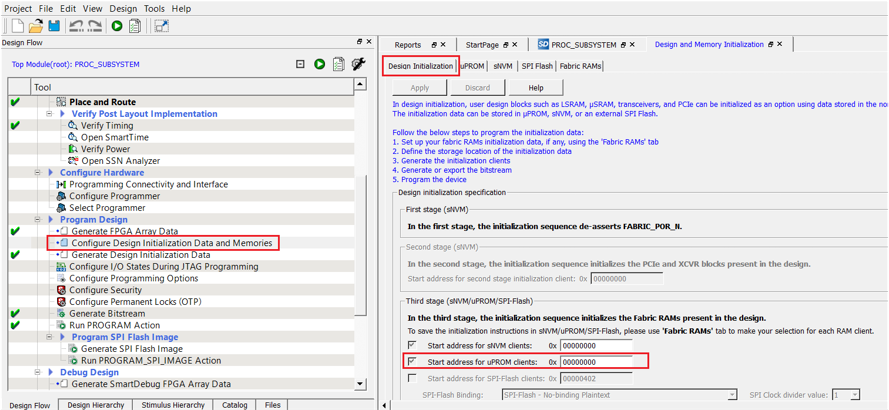
- Select the Fabric
RAMs tab, select the tcm_ram client from the list,
and click Edit, see the following figure.
Figure 2-3. Fabric RAMs Tab 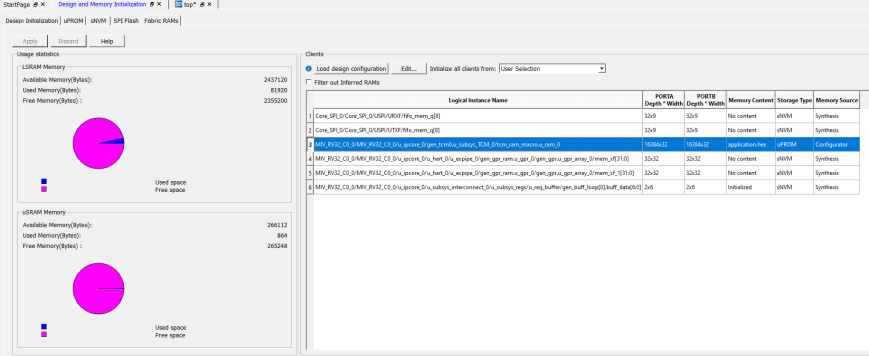
- In the Edit Fabric RAM
Initialization Client dialog box, select the Content from
file option, and locate the
application.hexfile fromDesignFiles_directory\TCL_Scripts\src\softconsolefolder and Click OK, see the following figure.Figure 2-4. Edit Fabric RAM Initialization Client 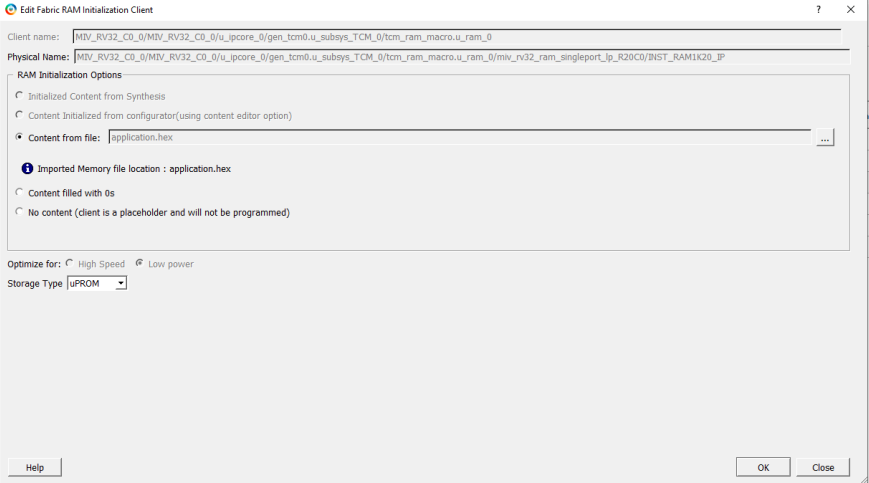
- Click Apply, see
the following figure.
Figure 2-5. Apply Fabric RAM Content 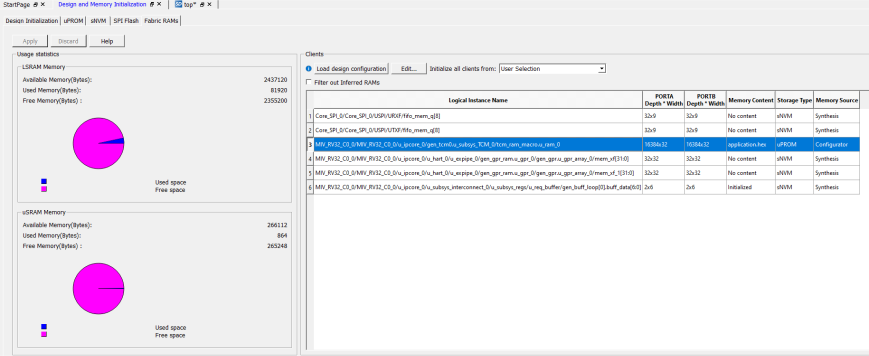
-
sNVM tab -> Select Add from the list
-> click Add PlainText NonAuthenticated Client, see the
following figure.
Figure 2-6. Add PlainText NonAuthenticated Client Option 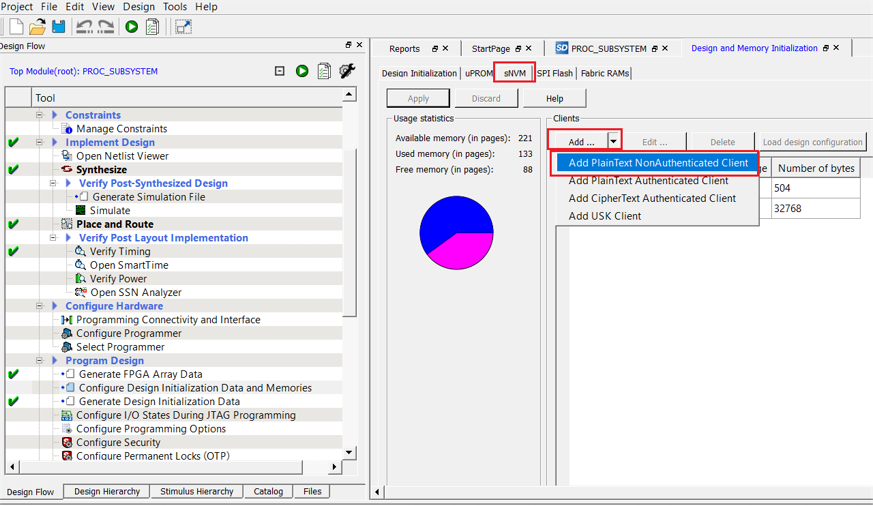
- In the preceding step, select a client and click Edit.
- In the Edit PlainText
NonAuthenticated client dialog box, select Content filled with
0s option and provide the Number of bytes. Click
OK.
Figure 2-7. Edit PlainText NonAuthenticated Client 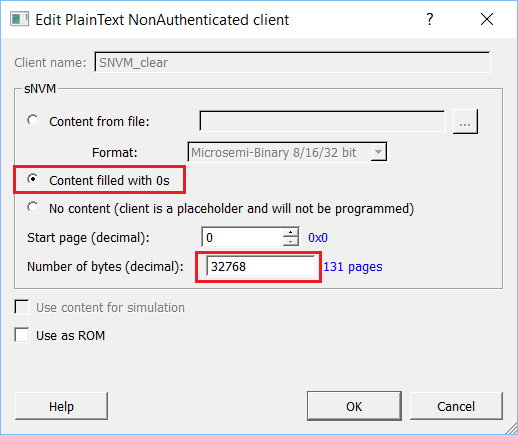
- In the Design Initialization tab, click Apply.
- On the Design Flow window, click Generate Initialization Data to generate design initialization data.
After successful generation of the Initialization data, a green tick mark appears next to Generate Initialization Data option, see the Figure 2-1.