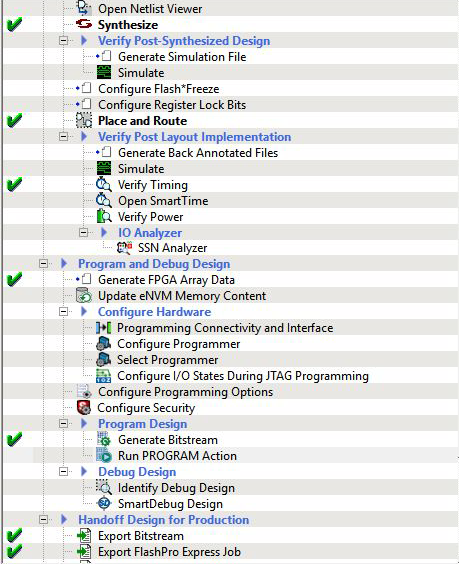
1.4.3 Run PROGRAM Action
(Ask a Question)After generating the bitstream, the PolarFire® device must be programmed. To program the PolarFire device, perform the following steps:
- Ensure that the following Jumper Settings are set on the board.
Table 1-4. Jumper Settings Jumper Description Default J18, J19, J20, J21, and J22 Short pin 2 and 3 for programming the PolarFire® FPGA through FTDI Closed J28 Short pin 1 and 2 for programming through the on-board FlashPro5 Open J26 Short pin 1 and 2 for programming through the FTDI SPI Closed J4 Short pin 1 and 2 for manual power switching using SW3 Closed J12 Short pin 3 and 4 for 2.5 V Closed - Connect the power supply cable to the J9 connector on the board.
- Connect the USB cable from the Host PC to J5 (FTDI port) on the board.
- Power the board using the SW3 slide switch.
- Navigate to tab and double-click Run PROGRAM Action.A green tick mark appears when the device is programmed successfully, as shown in the following figure.
Figure 1-7. Libero Design Flow Options