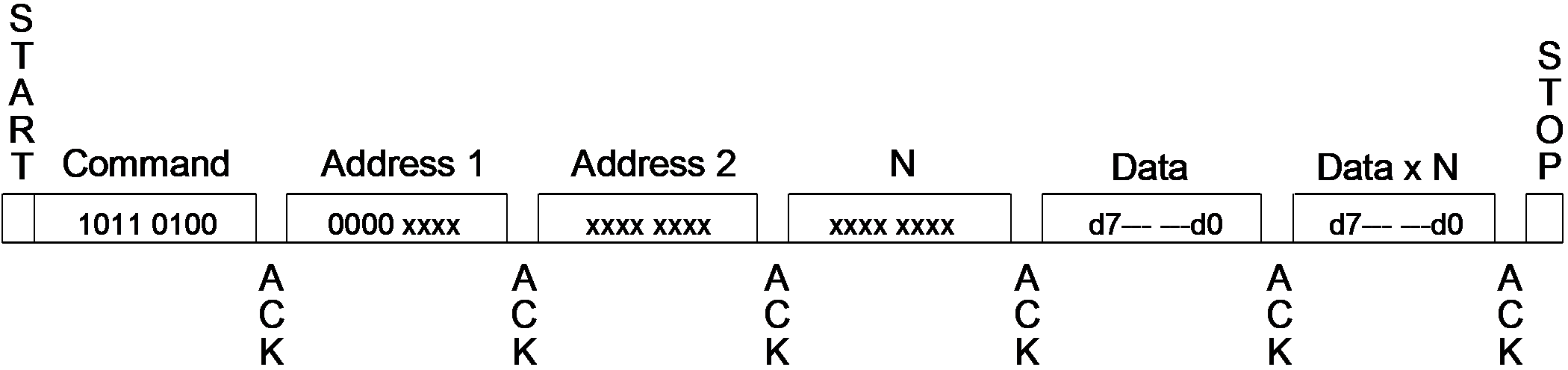
Before reading and writing data in the user zones, the host must select a zone with this command. At this time, the host chooses whether anti-tearing will be active for this zone.
Table 8-5. Anti-Tearing
Command Description
Command
Addr 1
Addr 2
N
Data(N)
Write Config Zone with Anti-Tearing
$B4
$08
Addr
N ≤ $08
N bytes
Set User Zone with Anti-Tearing
$B4
$0B
Zone
$00
Data written to the Configuration zone may be done with anti-tearing enabled by setting Address 1 to $08 of the write Configuration zone command.
To enable anti-tearing for writes to a user zone, a Set User Zone command is executed with Address 1 set to $0B. All subsequent Write User Zone commands will be executed with anti-tearing enabled until the next Set User Zone command. Anti-tearing must be turned off if not required, as it would otherwise cause more write cycles than necessary.Figure 8-12. System Write Command Detail
The online versions of the documents are provided as a courtesy. Verify all content and data in the device’s PDF documentation found on the device product page.