5.7 MPLAB X IDE Project Setup
To set up an MPLAB X IDE project for the first time, use the built-in Project Wizard (). In this wizard, you will be able to select a language toolsuite that uses the XC-DSC language tools. For more on the wizard and MPLAB X IDE projects, see MPLAB X IDE documentation.
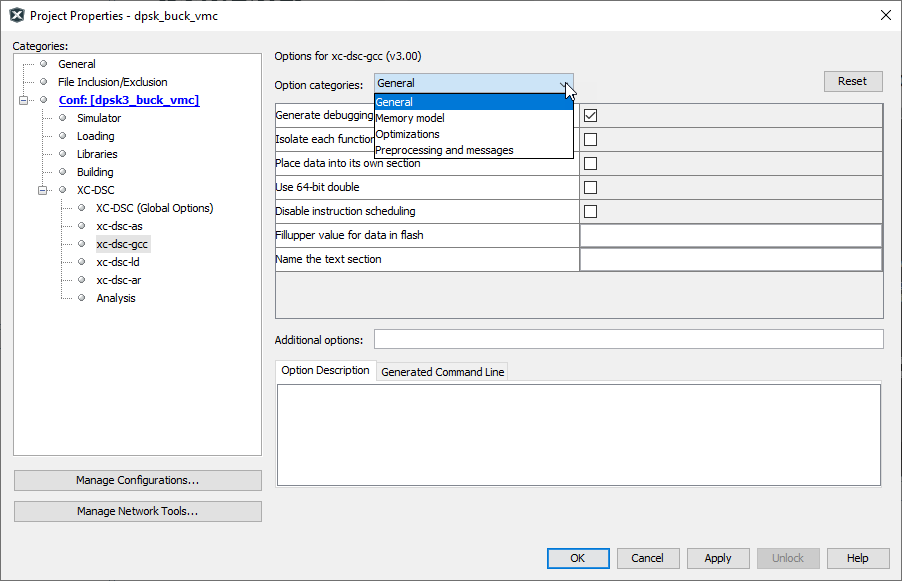
Once you have a project set up, you may then set up properties of the tools in MPLAB X IDE (see figure below).
- From the MPLAB X IDE menu bar, select to open a window to set/check project build options.
- Under Conf:[
default], select an item to set up its options. For example, under XC-DSC, select xc-dsc-gcc to set up options for the XC-DSC compiler . Once you select an Option Category, click on an option to see its Option Description in the box below.Figure 5-4. Project Properties Window