32.4.2.3 Truth Table Inputs Selection
Input Overview
The inputs can be individually:
- Masked
- Driven by peripherals:
- Analog Comparator output (AC)
- Timer/Counters waveform outputs (TC)
- Serial Communication output transmit interface (SERCOM)
- Timer/Counters for Control Applications waveform outputs (TCC)
- Driven by internal events from Event System
- Driven by other CCL signals
The input selection for each input x to LUT n is configured by writing the Input x Source Selection (LUTCTRL[n].INSELx) bit field in the LUT n Control register.
Masked Inputs (MASK)
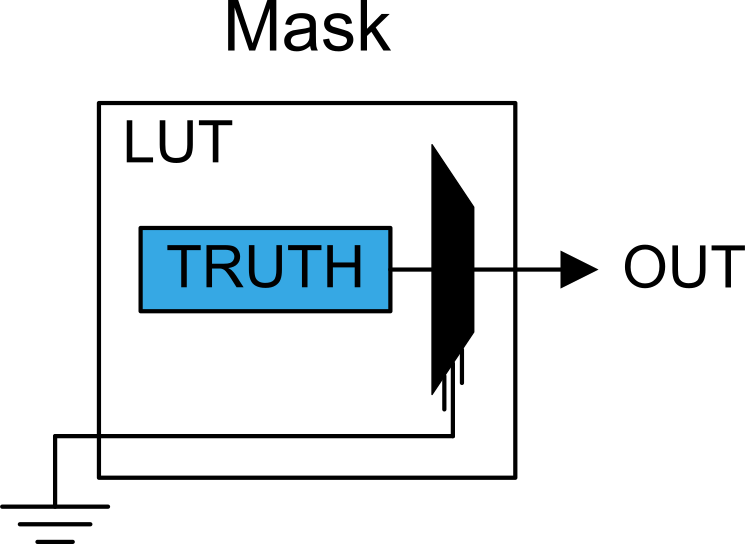
When a LUT input is masked (LUTCTRL[n].INSELx=MASK), the corresponding TRUTH input (IN) is internally tied to zero, as illustrated in this figure:
Internal Feedback Inputs (FEEDBACK)
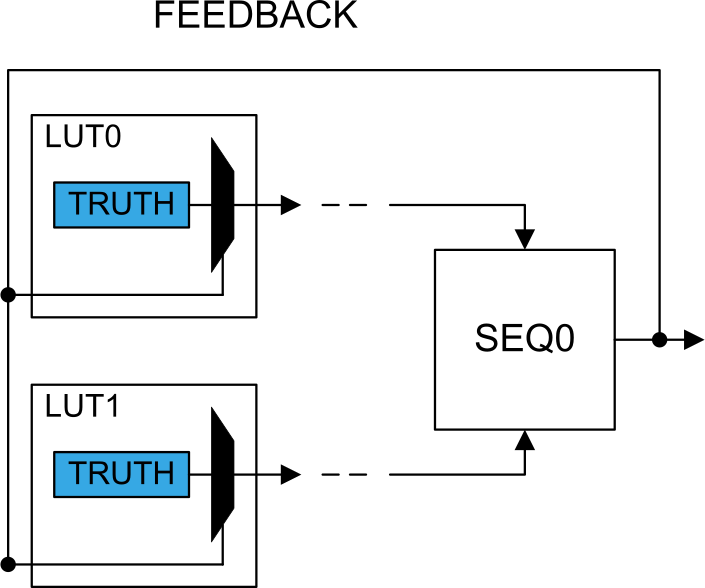
When feedback is selected (LUTCTRL[n].INSELx=FEEDBACK), the Sequential (SEQ) output is used as input to the corresponding LUT.
The output from an internal sequential sub-module can be used as input to the LUT; see the figure below for an example of LUT0 and LUT1. The sequential selection for each LUT follows the formula below:
In the formula above, n represents the sequencer number, and x (0,1,2) represents the LUT input index.
Linked LUT (LINK)
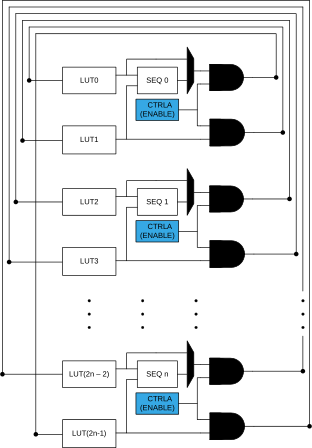
When linking is selected (LUTCTRL[n].INSELx=LINK), the output of the subsequent LUT is used as the input to the current LUT (e.g., LUT2 serves as the input to LUT1), as illustrated in the figure below.
Internal Events Inputs Selection (EVENT)
Asynchronous events from the Event System can be used as input selections, as shown in the following figure. For each LUT, one event input line is available and can be selected on each LUT input. Before enabling event selection by writing LUTCTRL[n].INSELx = EVENT, the Event System must be configured.
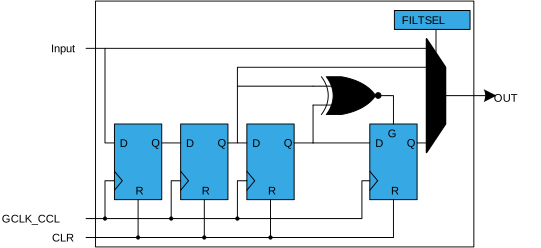
By default, the CCL includes an edge detector. When the event is received, an internal strobe is generated upon detection of a rising edge, with a pulse duration of one GCLK_CCL clock cycle. Writing LUTCTRL[n].INSELx = ASYNCEVENT disables the edge detector. In this configuration, it is possible to combine an asynchronous event input with any other input source, which is particularly useful for event levels inputs (such as external I/O pin events). To ensure proper operation, follow these steps:
- Enable the GCLK_CCL clock.
- Configure the Event System to route the event asynchronously.
- Select the event input type by configuring LUTCTRL[n].INSEL=ASYNCEVENT.
- If a strobe must be generated on the
event input falling edge, write a '
1' to the Inverted Event Input Enable (LUTCTRL[n].INVEI) bit in the LUT Control register. - Enable the event input by writing a
'
1' to the Event Input Enable (LUTCTRL[n].LUTEI) bit in the LUT Control register.
I/O Pin Inputs (IO)
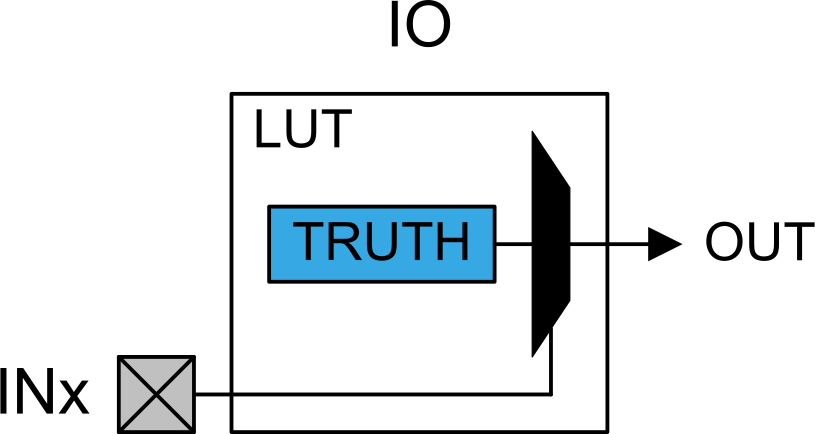
When an I/O pin is selected as a LUT input (LUTCTRL[n].INSELx = IO), the corresponding LUT input will be connected to the pin, as illustrated in the figure below.
Analog Comparator Inputs (AC)
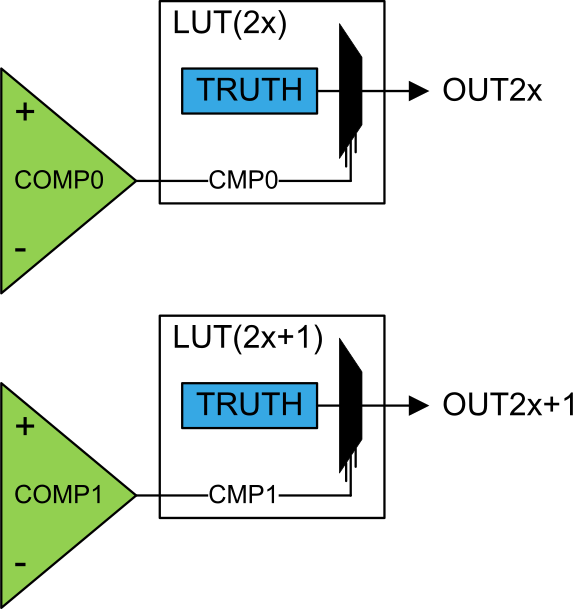
The AC outputs can be used as inputs to the LUTs by configuring LUTCTRL[n].INSELx = AC.
The analog comparator outputs are distributed according to the formula below:
IN[n][x]= AC[n %
            ComparatorOutput_Number]
In the formula above, n represents the LUT number and x (0,1,2) represents the LUT input index.
Before selecting the comparator output, the AC must be configured.
Timer/Counter Inputs (TC)
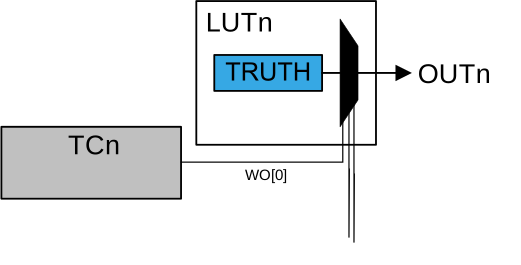
The WO[0] waveform outputs from the Timer/Counters can be used as inputs to the LUTs by configuring LUTCTRL[n].INSELx=TC. Specifically, TC0.WO[0], TC1.WO[0], and TC2.WO[0] are available as inputs to LUT0, LUT1, and LUT2, respectively. Additionally, TC0.WO[0] is available as an input to LUT3. See the figure below for an example of LUTn. More generally, the Timer/Counter selection for each LUT follows the formula below:
In the formula above, n represents the LUT number and x (0,1,2) represents the LUT input index.
Before selecting the waveform outputs, the Timer Counter (TC) must be configured.
Timer/Counter for Control Application Inputs (TCC)
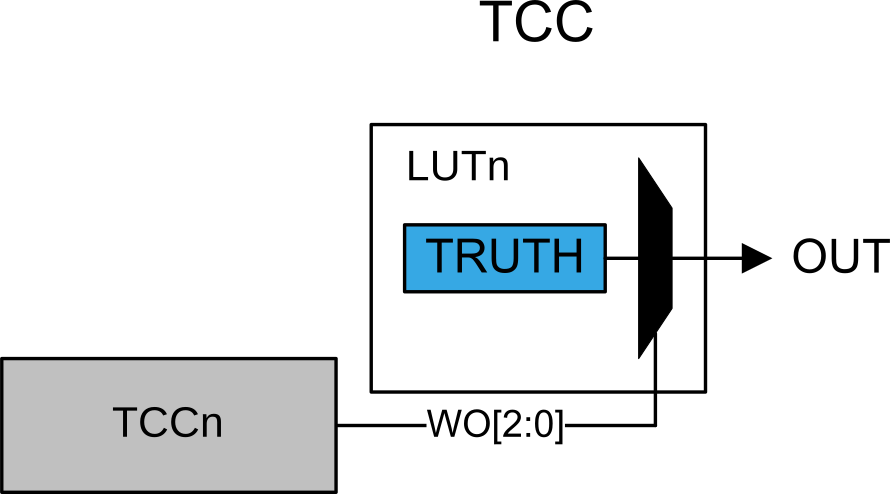
The TCC waveform outputs can be used as inputs to the LUTs. Only WO[2:0] outputs can be selected and routed to the respective LUT input (i.e., IN0 is connected to WO0, IN1 to WO1, and IN2 to WO2), as illustrated in the figure below.
The TCC selection for each LUT follows the formula below:
In the formula above, n represents the LUT number and x (0,1,2) represents the LUT input index.
Before selecting the waveform outputs, the TCC must be configured.
Serial Communication Output Transmit Inputs (SERCOM)
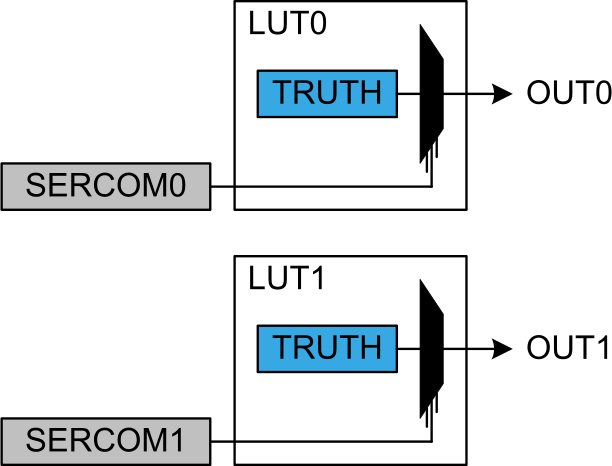
The serial engine transmitter output from Serial Communication Interface (SERCOM TX – TXd for USART, MOSI for SPI) can be used as an input to the LUT. The figure below shows an example for LUT0 and LUT1. The SERCOM selection for each LUT follows the formula below:
In the formula above, n represents the LUT number and x (0,1,2) represents the LUT input index.
Before selecting SERCOM as input, the SERCOM must be configured. The SERCOM TX signal must be output on SERCOMn/pad[0], which serves as the input pad to the CCL.