
4.1.4.1 UART Hello World
This section describes in detail on how to enable UART functionality on PIC32WM-BW1 Curiosity board using MCC.
Users can choose to just run the precompiled Application Example hex on the PIC32WM-BW1 Curiosity Board and experience the demo or can go through the steps involved in enabling UART from scratch using MCC
Hardware Requirements
| Tool | Qty |
|---|---|
| PIC32WM-BW1 Curiosity Board | 1 |
| USB Type-C™ cable | 1 |
Software Requirements
- To install Tera Term tool, refer to the Tera Term web page listed in the Reference Documentation from Related Links.
Programming the precompled hex file or Application Example
Programming the hex file using MPLABX IPE:
-
Precompiled Hex file is located in “
<Harmony Content Path>\wireless_apps_pic32_bw1\apps\ble\chip_peripherals\uart_hello_world\hex” folder - For detailed steps, refer to
Programming a Device in MPLAB® IPE in
Reference Documentation from Related Links.Note: Ensure to choose the correct Device and Tool information.
Programming the Application using MPLABX IDE:
- Perform the following the steps mentioned in Running a Precompiled Example. For more information, refer to Running a Precompiled Application Example from Related Links.
-
Open and program the application example “
uart_hello_world.X” located in “<Harmony Content Path>\wireless_apps_pic32_bw1\apps\ble\chip_peripherals\uart_hello_world\firmware” using MPLABX IDE.
Testing
- Connect the PIC32WM-BW1 Curiosity board to PC,
program the application example. Open Tera Term and configure it with
following settings:
- Baud rate/ Speed – 115200
- Parity – None
- Data bits – 8
- Stop bits – 1
- Flow Control – None
- Reset the board and the demo will print “Hello World” on the terminal.
Figure 4-106. Tera Term 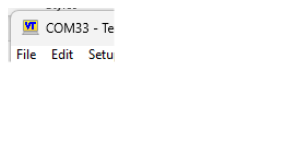
Project Graph
- Verify if the Project Graph window has all the expected configuration as illustrated in the following figure.
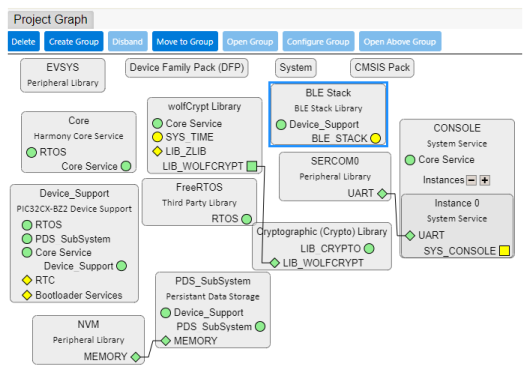
Verify UART Configuration
-
Select SERCOM0 component in project graph. The Transmit pinout configuration is for without hardware flow control.
Figure 4-108. Sercom0 Configuration 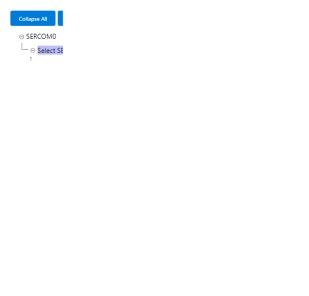
- Select System component in project graph
Figure 4-109. System Configuration 
Generating a Code
For more details on code generation, refer to MPLAB Code Configurator (MCC) Code Generation section from Related Links.
Files and Routines Automatically Generated by the MCC
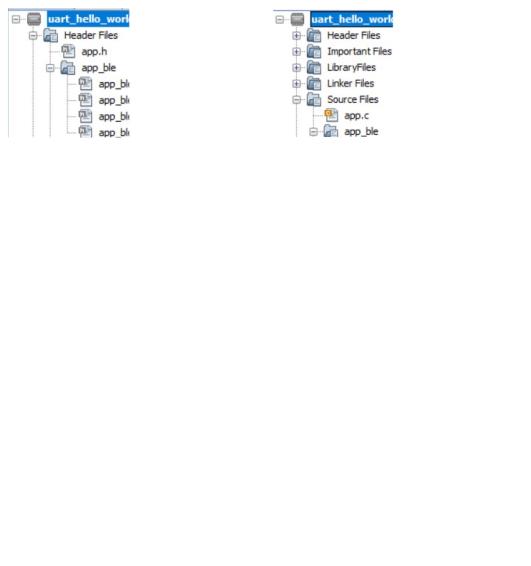
Header Files
-
Header File associated with the sercom0 peripheral library or any other peripheral library for a different example is included in
definitions.hfileNote: To use all the SERCOM0 functionality include thedefinitions.hfile in application code
Function Calls
SYS_Initialize() function-
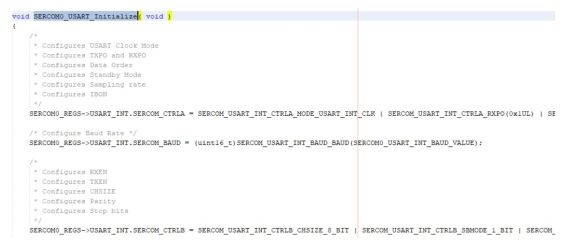
SERCOM0_USART_Initialize()is the API that will be called inside theSYS_Initialize()function
User Application Development
-
Include
-
definitions.hinapp.c(definitions.his called to include theperipheral.hfiles) -
app_idle_task.hinapp.c
-
-
Transfer data using USART in
app.c#include "peripheral/sercom/usart/plib_sercom0_usart.h"
-
In
APP_Tasks(), caseAPP_STATE_INIT:SERCOM0_USART_Write((uint8_t *)"Hello World\r\n",13);