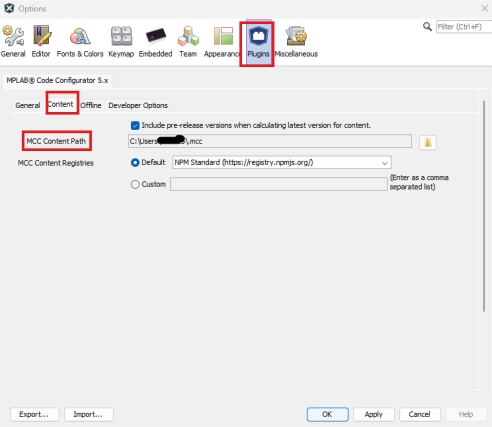
Several aspects of the operation of the MCC can be managed by using the “Options” panel (see the
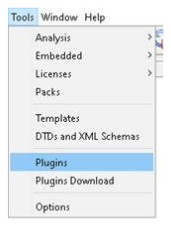
following figure), which can be invoked by clicking Tools>Options>Plugins>MPLAB
Code Configurator in the menu bar of the MPLAB® X
IDE.
In the “Harmony Content Path”, specify the location where the Harmony 3 repositories have been
downloaded with content manager or cloned from Github repository. Click Apply and
OK.Figure 3-11. Configuring Plugin Options