
2.13 Build and Program
The demo project will be compiled and programmed to PIC32CXMTG-EK board.
- Build the application.
- Open the project Properties by right clicking the project name (MyFirstG3app).
- Ensure that XC32 compiler toolchain is selected. Press OK.
Figure 2-69. Select Compiler 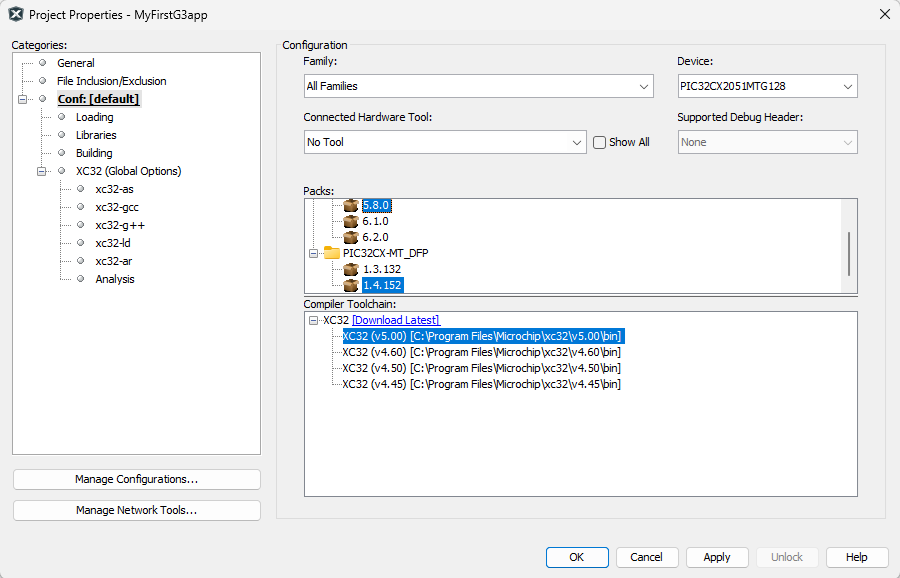
- Build the application by clicking the
Build Main Project or Clean and Build Main Project menu command.
Figure 2-70. Build Project 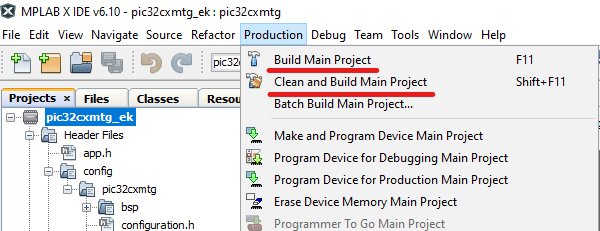
- Verify the build is SUCCESSFUL in Output window.
Figure 2-71. Successful Build 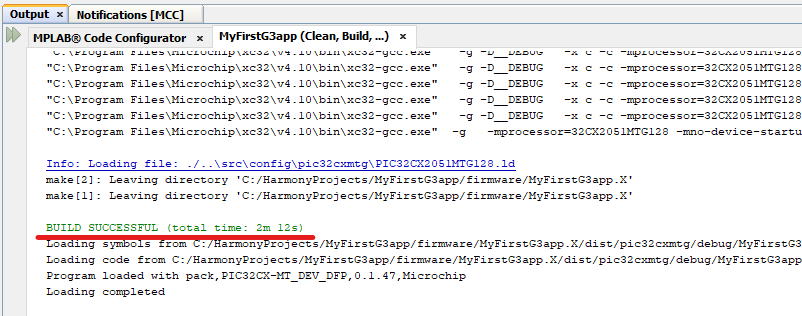
- Program the application.
- Connect a micro-USB cable from computer to the USB port on the PIC32CXMTG-EK board.
- Click the Make and Program
Device Main Project menu command.
Figure 2-72. Make and Program Device 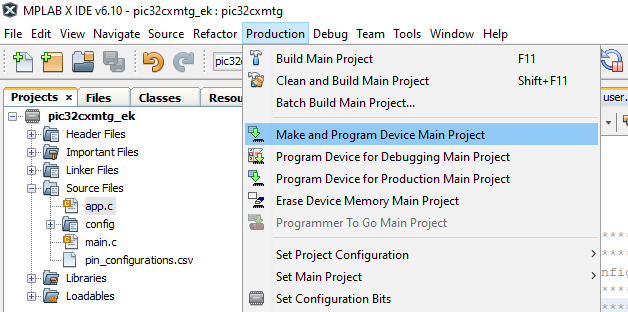
- If not already done, select the programming tool for the connected board.
Figure 2-73. Select Programming Tool 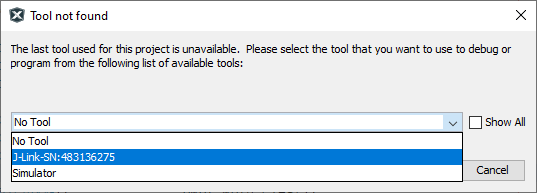
- At this point, the user has a G3 Device running on the PIC32CXMTG-EK board. It can be tested against one of the G3 Coordinator examples available in smartenergy_g3_apps repository.