
2.5 Configure Design Initialization Data and Memories
(Ask a Question)The fabric RAM blocks must be initialized with the user application to configure the PHY and the management registers of CoreTSE. The user application (HEX file) is generated using SoftConsole. This step is used to select the fabric RAM client (HEX file), its storage location (sNVM/µPROM/SPI Flash), and generate the fabric RAM client. The non-volatile memory is programmed with this client and at device power-up, the fabric RAM blocks are initialized with the content from the selected NVM.
The Configure Design Initialization Data and Memories option creates the TCM initialization client. When the PolarFire device powers up, the TCM memory is initialized with the sNVM contents.
To create the TCM initialization client, perform the following steps:
- On the Design Flow window, double click
Configure Design Initialization Data and Memories, as shown in Figure 2-2.
Figure 2-2. Configure Design Initialization Data and Memories Option 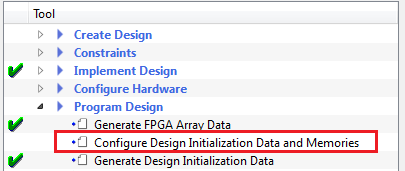
- In the Fabric RAMs tab,
configure the
MIV_RV32_C0_0/MIV_RV32_C0_0/u_opsrv_0/gen_tcm0.u_opsrv_TCM_0/tcm_ram_macro.u_ram_0instance and ensure that the contents are stored in sNVM, and then set the Storage Type as sNVM as shown in the following figure.Figure 2-3. Fabric RAMs Tab 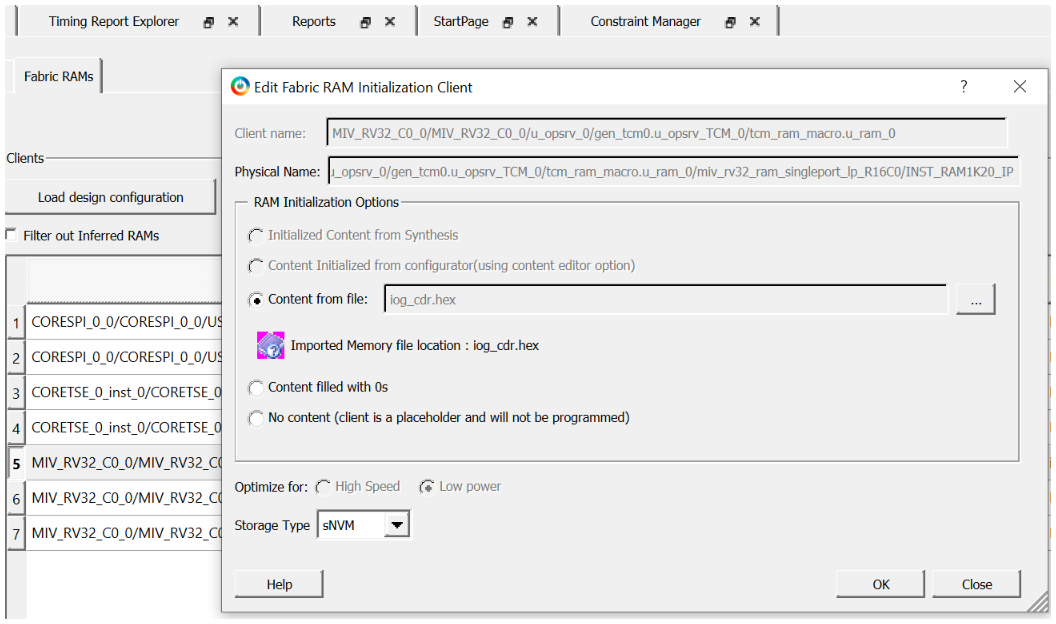
- Import the hex file (iog_cdr.hex) from: mpf_an4623_v2022p3_df\TCL_Scripts\src\src_softconsole. The iog_cdr.hex file is an application file generated using SoftConsole that configures the ZL clock generation hardware, the CoreTSE registers, and the VSC PHY. The application code is initially stored in sNVM. On device power-up, the system controller copies the code to TCM, and the Mi-V processor executes the code from TCM.
- Click Apply.
Figure 2-4. Fabric RAM Tab Apply Option 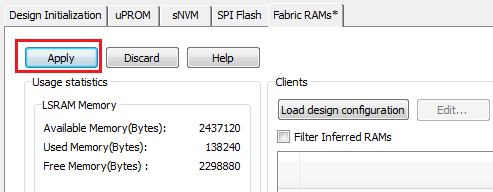
- On the Design Flow window, double click Generate Design Initialization Data. When the initialization client is successfully generated in sNVM, a green tick mark appears next to Generate Design Initialization Data, as shown in Figure 2-1.