
4.5 Setting Up Status Group
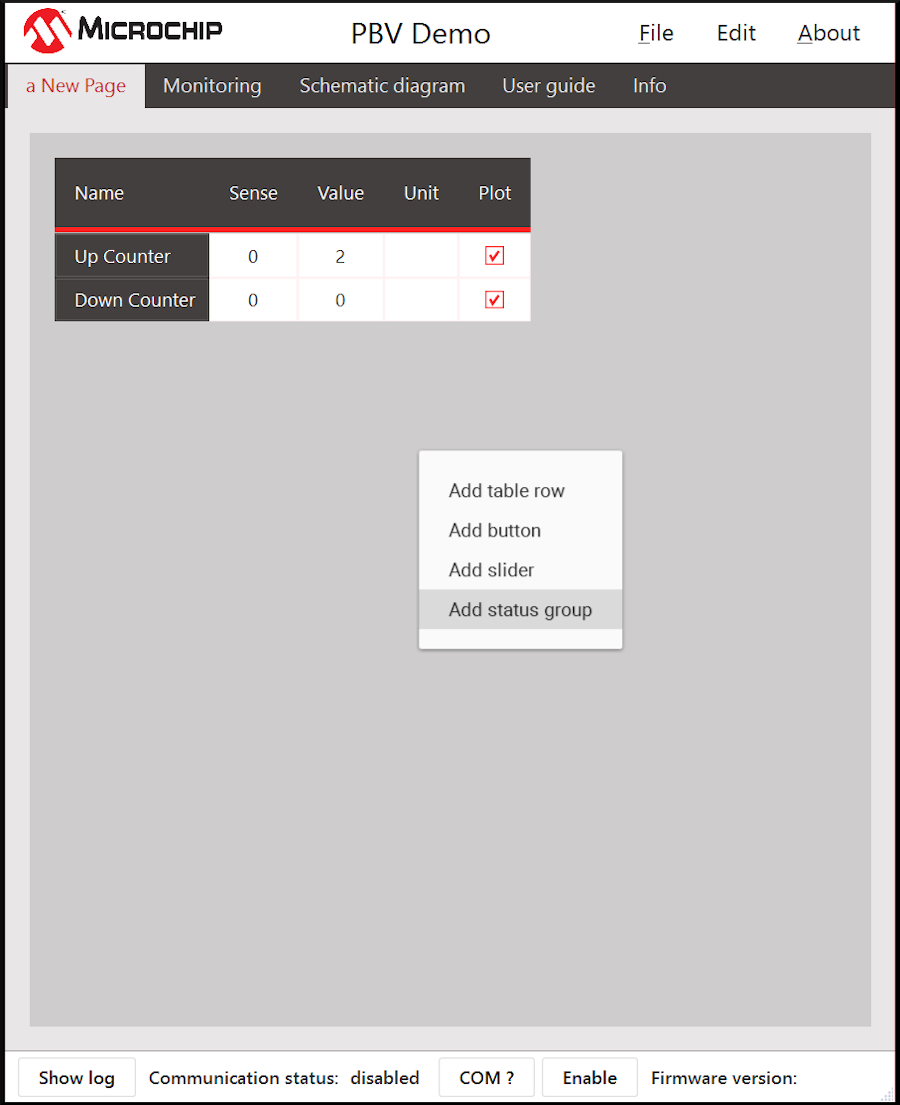
If the project requires, some of the signals can be configured as status groups. A status group allows the user to assign meanings to individual bits of the received message. Right click a blank space on the page and click Add status group. Only unsigned 16-bit signals can be configured as status group.
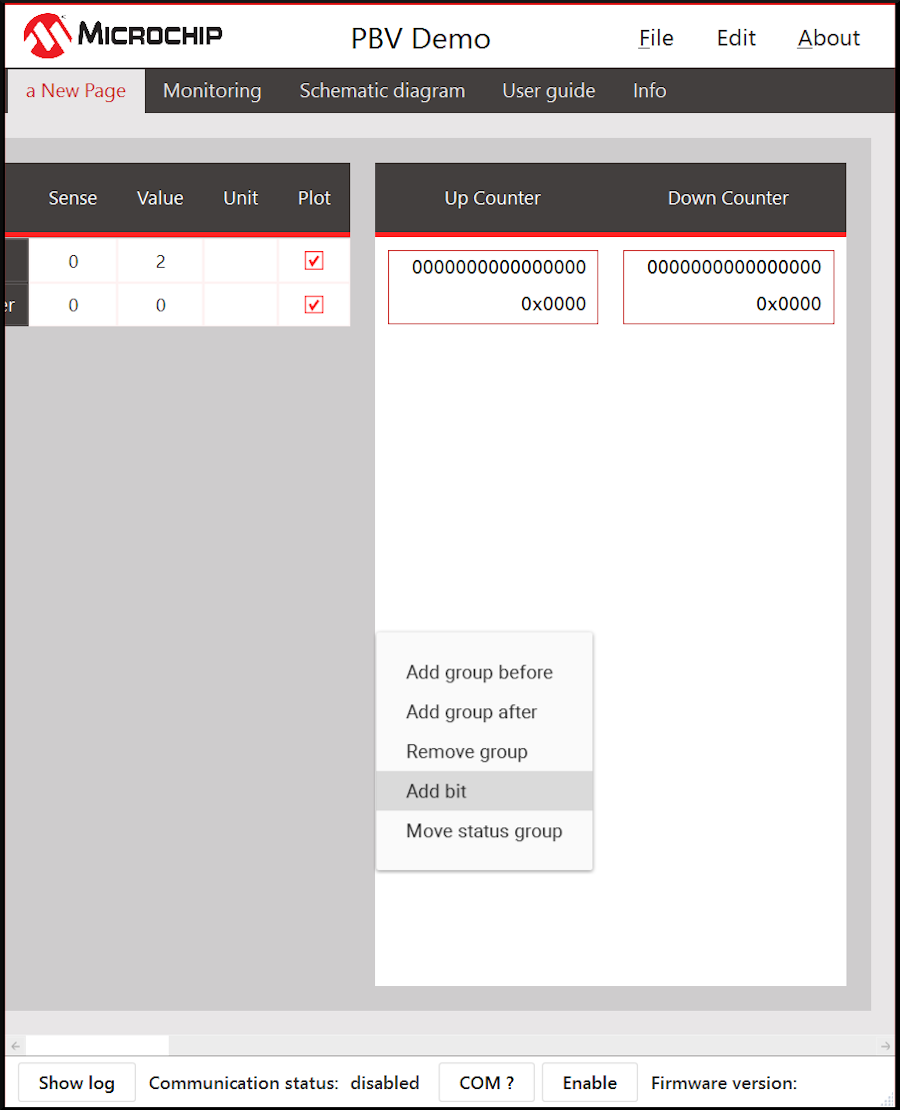
After adding a status group, a blank status group appears on the screen. Right click and click Add bit to add meanings to the bits of the signal.
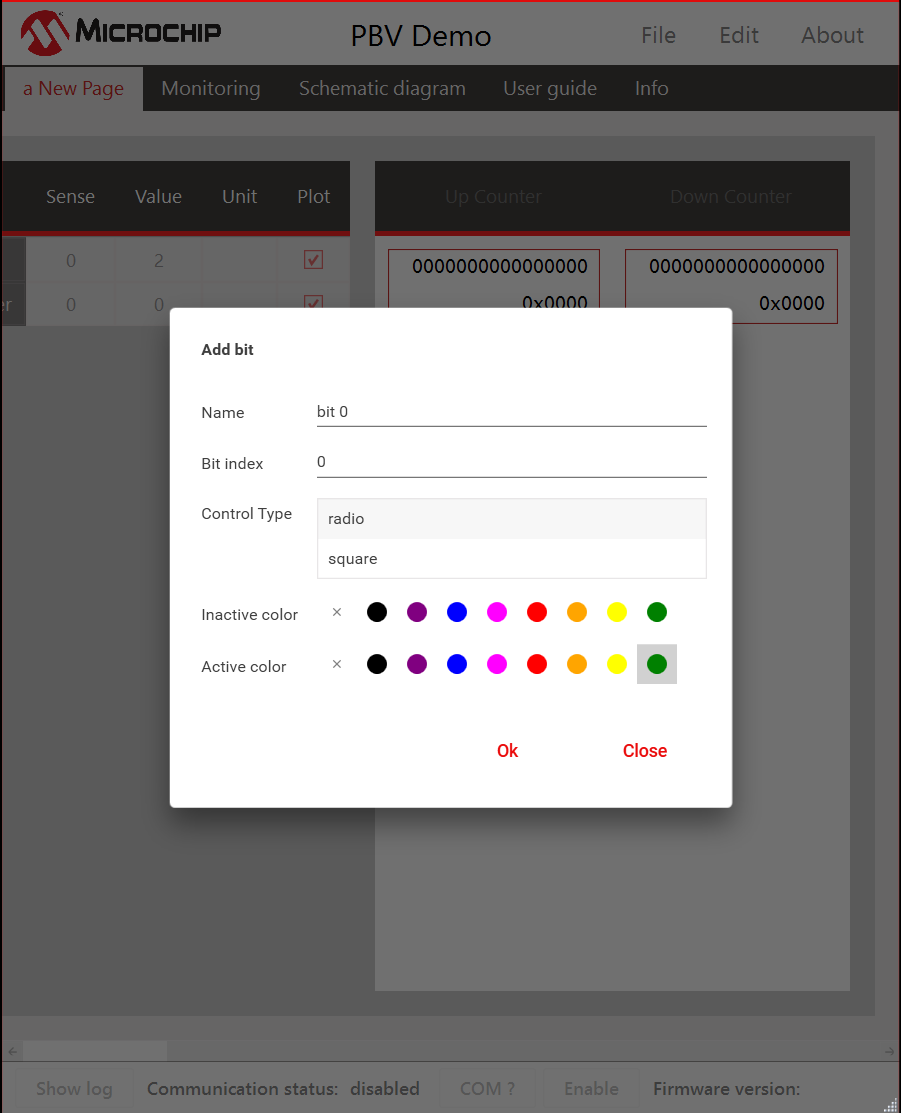
The following options are required for bit configuration.
Name | A display name of the bit |
Bit index | Bit offset within the signal. Can be from 0 to 15. |
Control Type | Shape to be assigned to the bit: radio or square |
Inactive Color | Color when the bit value is 0 |
Active Color | Color when the bit value is 1 |