
4.1.1.2 Bluetooth®LE Legacy Scan
This section explains how to enable the BLE Scanning on the PIC32WM-BW1 Curiosity board using MCC. BLE scanning is utilized to detect devices that are in advertising mode. Within BLE protocols, the process is initiated by either a central device or an observer engaging in scanning activities.
Users can choose to either run the precompiled application example hex file provided on the PIC32WM-BW1 Curiosity Board or follow the steps to develop the application from scratch.
Hardware Requirement
| S. No. | Tool | Quantity |
|---|---|---|
| 1 | PIC32WM-BW1 Curiosity Board | 1 |
| 2 | USB Type-C™ cable | 1 |
Software
- To install Tera Term tool, refer to the Tera Term web page listed in the Reference Documentation from Related Links.
Programming the Precompiled Hex File or Application Example
Using MPLAB® X IPE:
-
Precompiled
.hexfile is located in<Harmony Content Path>\wireless_apps_pic32_bw1\apps\ble\central\central_legacy_scan\hexfolder. - For detailed steps, refer to
Programming a Device in MPLAB® IPE in
Reference Documentation from Related Links.Note: Ensure to choose the correct Device and Tool information.
Using MPLAB® X IDE:
- Perform the following the steps mentioned in Running a Precompiled Example. For more information, refer to Running a Precompiled Application Example from Related Links.
- Open and program the application
example
legacy_scan.Xlocated in<Harmony Content Path>\wireless_apps_pic32_bw1\apps\ble\central_legacy_scan\firmware.. -
For more details on finding the Harmony content path, refer to Installing the MCC Plugin from Related Links.
Testing
- Using a USB Type-C™ cable, connect the PIC32WM-BW1
Curiosity board to a PC and program it with “
legacy_scan” application. Open Tera Term and configure as mentioned below:Terminal Settings- Baud Rate/Speed – 115200
- Parity – None
- Data Bits – 8
- Stop Bits – 1
- Flow Control – None
- Reset the board, upon Reset, “Scanning” message is displayed on the Tera Term. The application enables users to do passive scanning for next 10 seconds.
- Once scan operation has begun
user will be able to display all the Bluetooth addresses that are
advertising on channel 37, 38 and 39.
Figure 4-9. BLE Scanning Tera Term 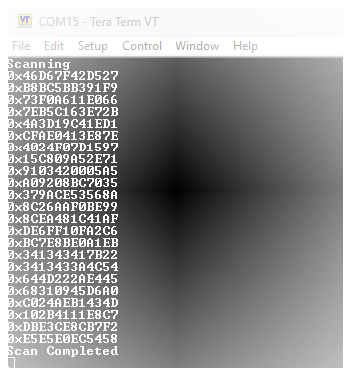
- After 10 seconds “Scan Completed” message is sent out.
- Users can use another PIC32WM-BW1 Curiosity Board configured as BLE advertiser, set the address and scan.
Project Graph
- Verify if the Project Graph window has all the expected configuration as illustrated in the following figure.
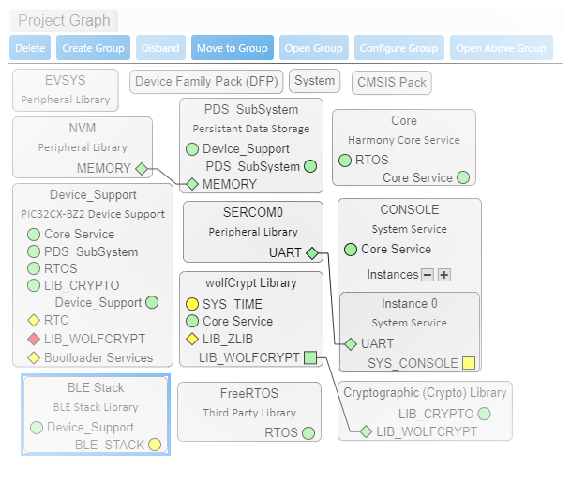
Verifying the Scan Configuration
-
Click on the BLE Stack component in project graph and configure as illustrated in the following figure.
Figure 4-11. BLE Stack Configuration 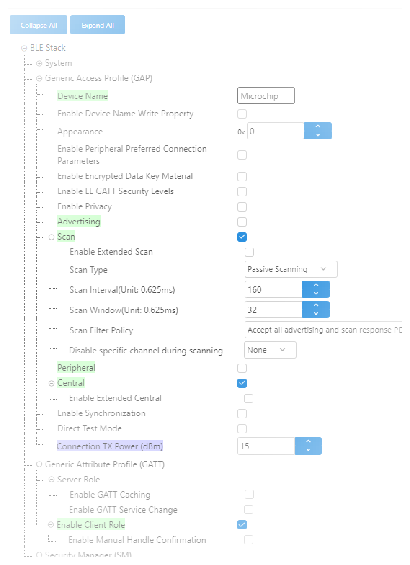
Generating a Code
For more details on code generation, refer to MPLAB Code Configurator (MCC) Code Generation from Related Links.
Files and Routines Automatically generated by the MCC
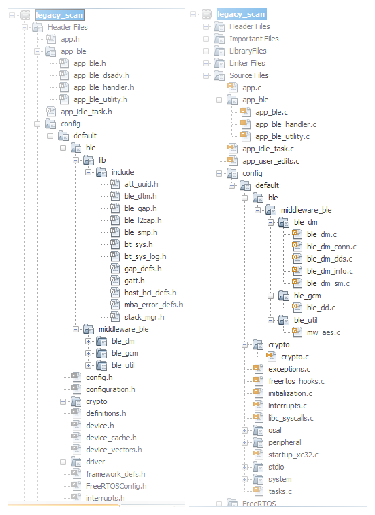
Initialization.c
app_ble.c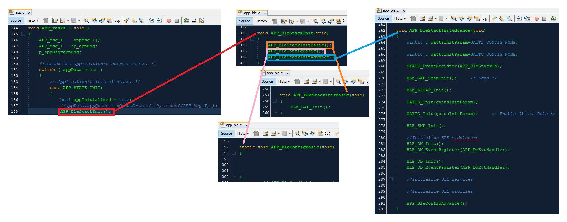
| Source Files | Usage |
|---|---|
app.c | Application State machine, includes calls for Initialization of all BLE stack (GAP,GATT, SMP, L2CAP) related component configurations |
app_ble\app_ble.c | Source code for the BLE stack related component
configurations, code related to function calls from
app.c |
app_ble\app_ble_handler.c | GAP, GATT, SMP and L2CAP event handlers |
app.c is auto generated and has a state machine based
application code sample, users can use this template to develop their
applicationHeader Files
-
ble_gap.h: This header file contains BLE GAP functions and is automatically included in theapp.cfile
Function Calls
MCC generates and adds the code to initialize the BLE Stack GAP, GATT, L2CAP and SMP
in APP_BleStackInit() function
-
APP_BleStackInit()is the API that will be called inside the applications initialization stateAPP_STATE_INITinapp.c
User Application Development
-
Include
- Include the user action. For more information, refer to User Action from Related Links.
-
definitions.hin all the files where UART will be used to print debug information.Note:definitions.his not specific to just UART peripheral, instead it must be included in all application source files where peripheral functionality will be exercised.
-
Start Scanning in
app.cThis API is called in the application’s initialization state -
APP_STATE_INITinapp.c. Scan duration is 10 seconds.// Scanning Enabled BLE_GAP_SetScanningEnable(true, BLE_GAP_SCAN_FD_ENABLE, BLE_GAP_SCAN_MODE_OBSERVER, 100); //Output the status string to UART SERCOM0_USART_Write((uint8_t *)"Scanning \r\n", 11);
Figure 4-15. app.c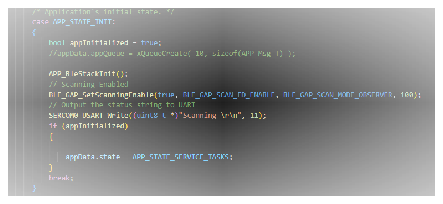
-
Scan Results in
app_ble_handler.c#include "definitions.h" uint8_t scanAddr[12]; static void APP_HexToAscii(uint8_t byteNum, uint8_t *p_hex, uint8_t *p_ascii) { uint8_t i, j, c; uint8_t digitNum = byteNum * 2; if (p_hex == NULL || p_ascii == NULL) return; for (i = 0; i < digitNum; i++) { j = i / 2; c = p_hex[j] & 0x0F; if (c >= 0x00 && c <= 0x09) { p_ascii[digitNum - i - 1] = c + 0x30; } else if (c >= 0x0A && c <= 0x0F) { p_ascii[digitNum - i - 1] = c - 0x0A + 'A'; } p_hex[j] /= 16; } }
-
In
APP_BleGapEvtHandler(), caseBLE_GAP_EVT_ADV_REPORT:BLE_GAP_EvtAdvReport_T scanResults; scanResults.addr = p_event->eventField.evtAdvReport.addr; APP_HexToAscii(6, scanResults.addr.addr, scanAddr); SERCOM0_USART_Write((uint8_t *)"0x", 2); SERCOM0_USART_Write((uint8_t *)scanAddr, 12); SERCOM0_USART_Write((uint8_t *)"\r\n", 2);
Figure 4-16. APP_BleGapEvtHandler()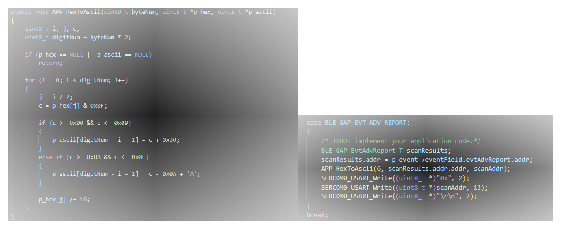
-
Scan Timeout Event
-
In
app_ble_handler.c,BLE_GAP_EVT_SCAN_TIMEOUTevent is generated when BLE Scan duration expires. In caseBLE_GAP_EVT_SCAN_TIMEOUTadd following:SERCOM0_USART_Write((uint8_t *)”Scan Completed \r\n”, 17);Figure 4-17. app_ble_handler.c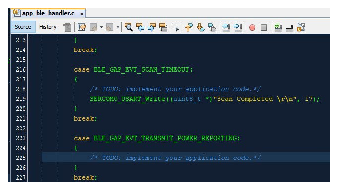
-