
3.2 Installing Device Family Pack
The Device Family Pack (DFP) installation provides device support for PIC32WM-BW1.
Steps to Install PIC32WM_DFP:
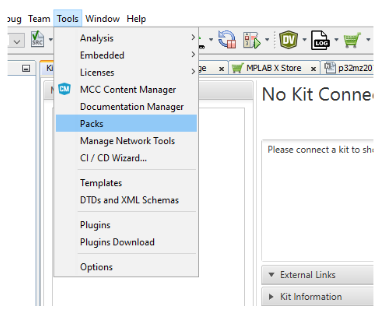
- In the MPLAB® X IDE window, select Tools tab and from the drop-down menu, select Packs.
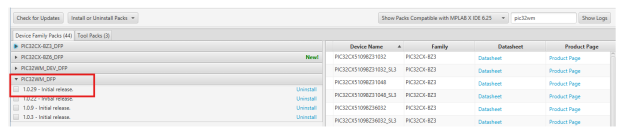
- Search for “PIC32WM” in the search box available and select Install. The DFP to install is PIC32WM_DFP v1.0.29
For more details on usage of Device Family Pack, refer to Introduction to DFP.