4.4.2 Running Memory Test
(Ask a Question)The Memory Test tab provides the memory test feature, which is also a DMA operation. The Memory Test tab enables DMA transactions between Root Port and Endpoint memory type (LSRAM, DDR3, and DDR4). This feature provides data pattern options with which the Root Port memory is initialized and then DMA operation is performed.
In memory testing, the user application performs the following sequence of operations:
- Initializes the Root Port memory with the specified data pattern
- Performs the DMA from Root Port memory to Endpoint memory
- Erases the data pattern in the Root Port memory
- Performs the DMA from Endpoint memory to Root Port memory
- Compares the data in Root Port memory with the selected data pattern
To run the memory test, perform the following steps:
- Select the DMA parameters like Transfer
Size (Bytes), Pattern Type, Endpoint Memory Type, RootPort Memory Type, EndPoint Offset
Address, and RootPort Offset Address, as shown in the following figure.Important: The Root Port slave ATR3 is configured for 1 MB. Therefore, the maximum Endpoint offset address is F80000 and the maximum Root Port address is 0x80000.
Figure 4-16. Memory Test Feature 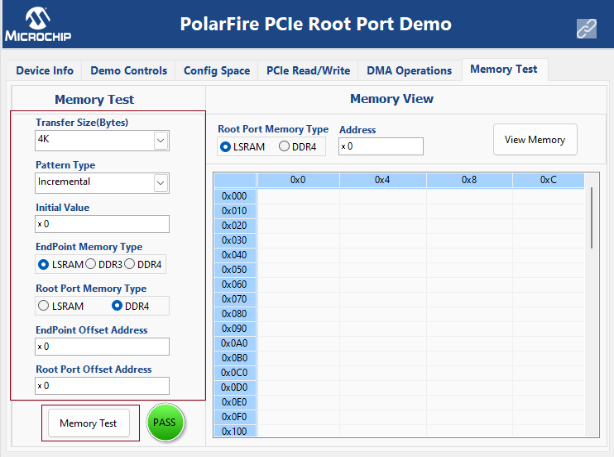
- Click Memory Test.
- Select option
DDR4 from the Root port memory type and click View
Memory, as shown in the following figure to read the Root port DDR4.
Figure 4-17. The View Memory Option 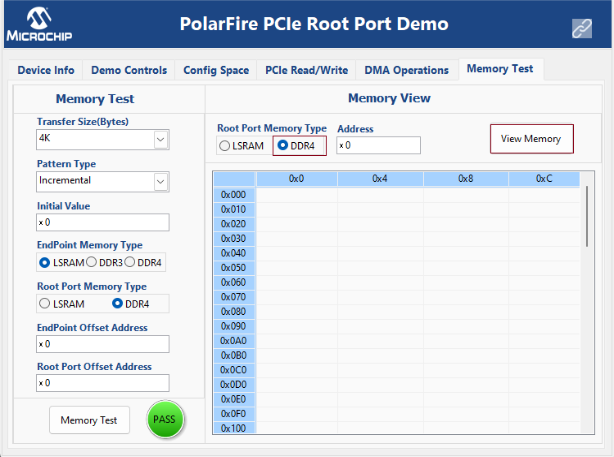
- The GUI displays the data pattern
written to the Root port DDR4, as shown in the following figure.
Figure 4-18. Root port DDR4 Memory Content 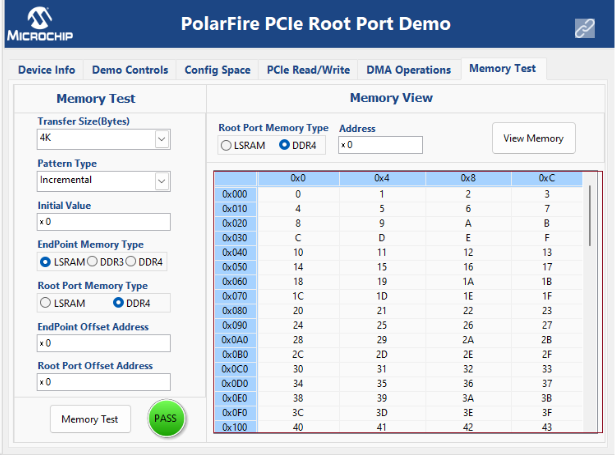
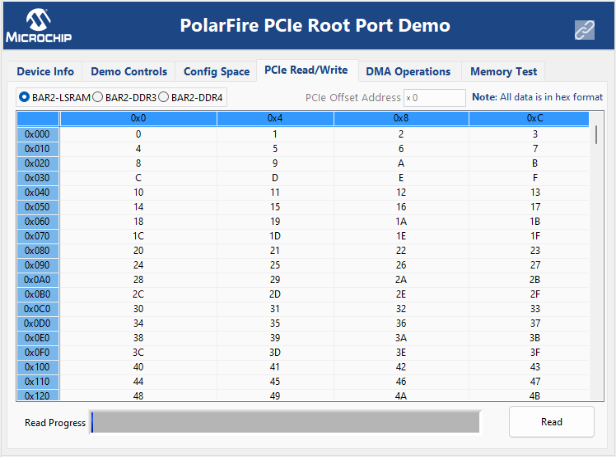
- Select the PCIe
Read/Write tab and click Read to view the data
pattern written to the Endpoint LSRAM.
Figure 4-19. Endpoint LSRAM Memory Content