
13.6.6 Text Editor
You can use the Libero IDE HDL text editor or another text editor.
To set your text editor preferences:
- From the Project menu, choose Preferences.
- Click TextEditor.
Figure 13-15. Preferences: Text Editor 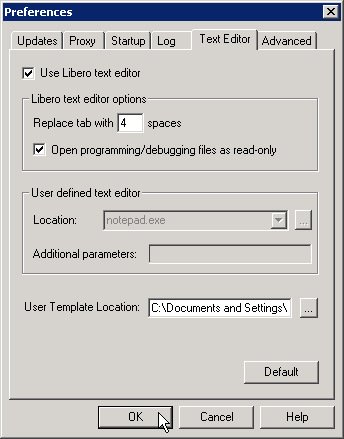
- Set your options and click OK.Libero text editor options
- Use Libero text editor: Select to use the Libero HDL text editor.
- Replace tab with spaces: Enter the number of spaces you want entered when using the tab key.
- Open programming/debugging files as read-only: Select to specify read-only
permission to
.stpand.prbfiles.