
9.15.6 Running Tcl Scripts from within FlashPro®
Instead of running scripts from the command line, you can use FlashPro®'s Run Script dialog box to run a script.
To execute a Tcl script file within FlashPro:
- From the File menu, choose
Run Script to display the Execute Script
dialog box.
Figure 9-138. Execute Script Dialog Box 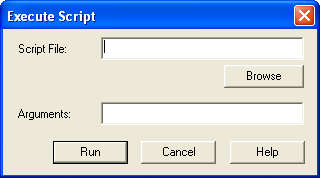
- Click Browse to display the Open dialog box, in which you can navigate to the folder containing the script file to open. When you click Open, FlashPro enters the full path and script filename into the Execute Script dialog box for you.
- In the Arguments box, enter the arguments to pass to your Tcl script. Separate each argument by a space character. For information about accessing arguments passed to a Tcl script, see
- Click Run.