4.2.2 Driver Installation
(Ask a Question)To install the PCIe drivers on the host PC, perform the following steps:
- In the Device Manager, right-click PCI Device and select Update Driver Software..., as shown in the following figure. To install the drivers, administrative rights are required.
Figure 4-5. Update Driver Software 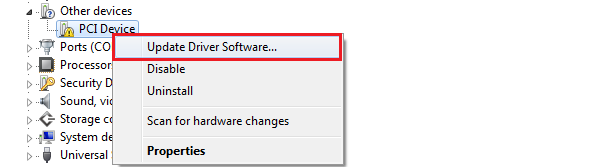
- In the Update Driver Software - PCIe Device window, select Browse my computer for driver software, as shown in the following figure.
Figure 4-6. Browse for Driver Software 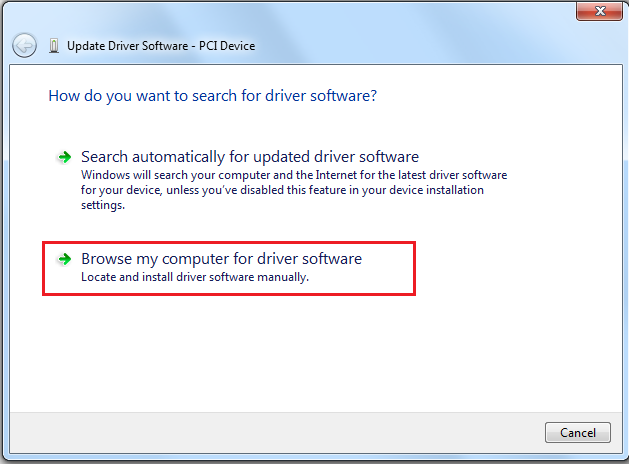
- Unzip the file and browse the drivers folder:
mpf_an4597_df\PCIe_Drivers\Win_64bit_PCIe_Driverand click Next, as shown in the following figure.Figure 4-7. Browse for Driver Software Continued 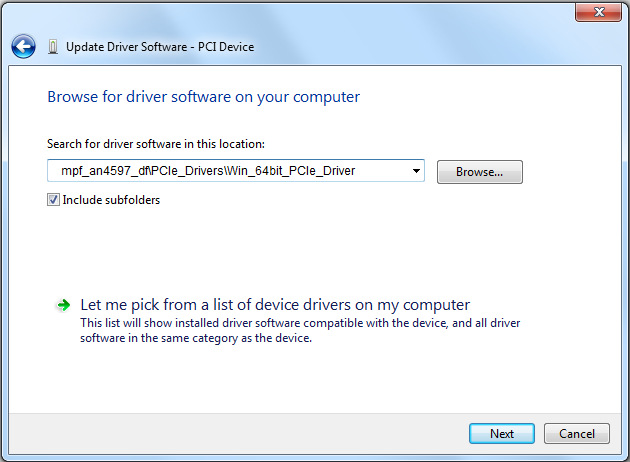
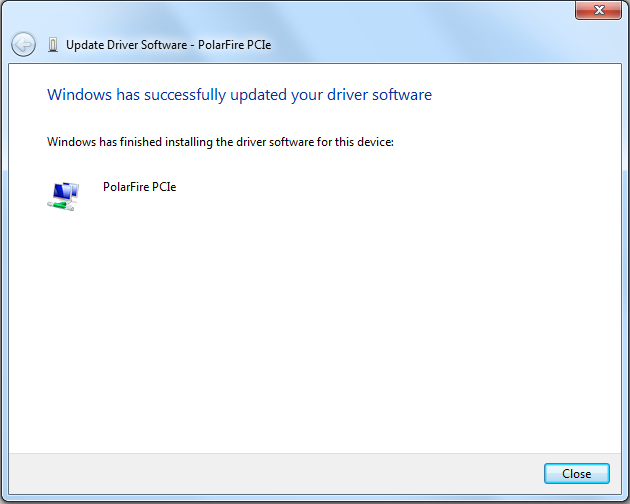
Figure 4-8. Successful Driver Installation