To run the demo design, perform the following steps:
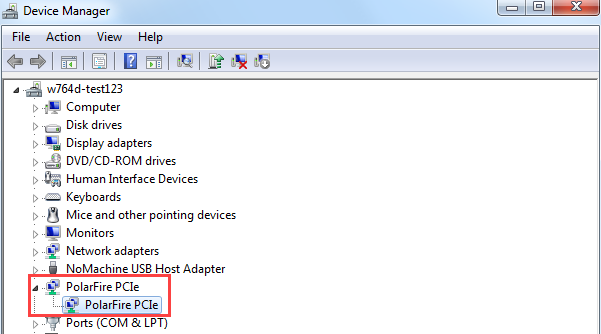
To expand the PolarFire
PCIe device, click PolarFire PCIe option in
the host PC Device Manager.Figure 4-9. Device Manager—PCIe Device
Detection
Important: If a warning message is displayed for
PolarFire PCIe driver while accessing, uninstall and re-install the
driver.
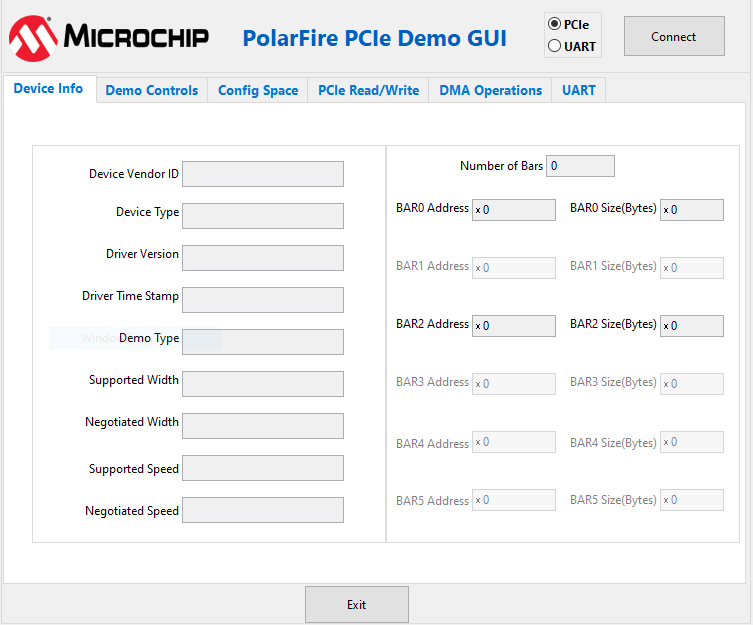
Navigate to All Programs > PolarFire_PCIe_GUI > PolarFire_PCIe_GUI. Figure 4-10. PCIe EndPoint Demo
ApplicationThe PolarFire PCIe Demo window is displayed.
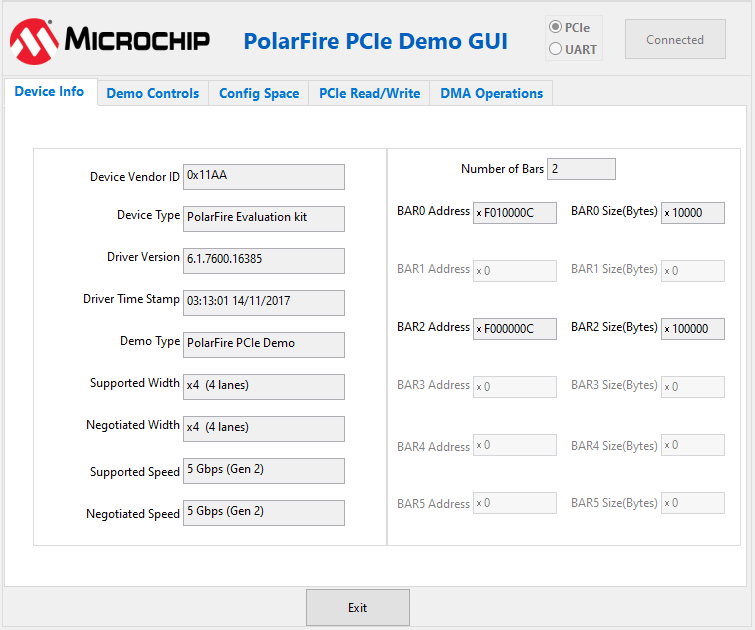
Click Connect. The
application detects and displays the information related to the connected kit, such
as Device Vendor ID, Device Type, Driver Version, Driver Time Stamp, Demo Type,
Supported Width, Negotiated Width, Supported Speed, Negotiated Speed, Number of Bars
and BAR Address.Figure 4-11. Device Info Tab
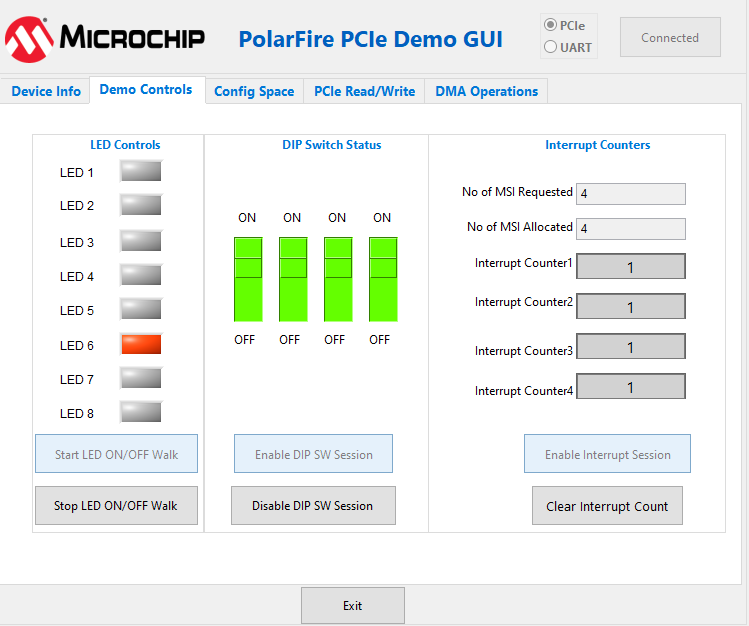
To display the LED
Controls, DIP Switch Status and
Interrupt Counters, click Demo
Controls tab.
To view the controlling LEDs (observe LED4 to
LED11 on the PolarFire Evaluation Kit), click Start LED ON/OFF
Walk, Enable DIP SW Session and
Enable Interrupt Session. This allows you to check the
status of the DIP switch (ON/OFF the DIP1 to DIP4 on the PolarFire Evaluation
Kit/Splash Kit) and monitor the interrupts (press SW7 to SW10 on the PolarFire
Evaluation Kit and SW3 to SW6 on the PolarFire Splash Kit to generate interrupts)
simultaneously, as shown in the following figure.Figure 4-12. Demo Controls
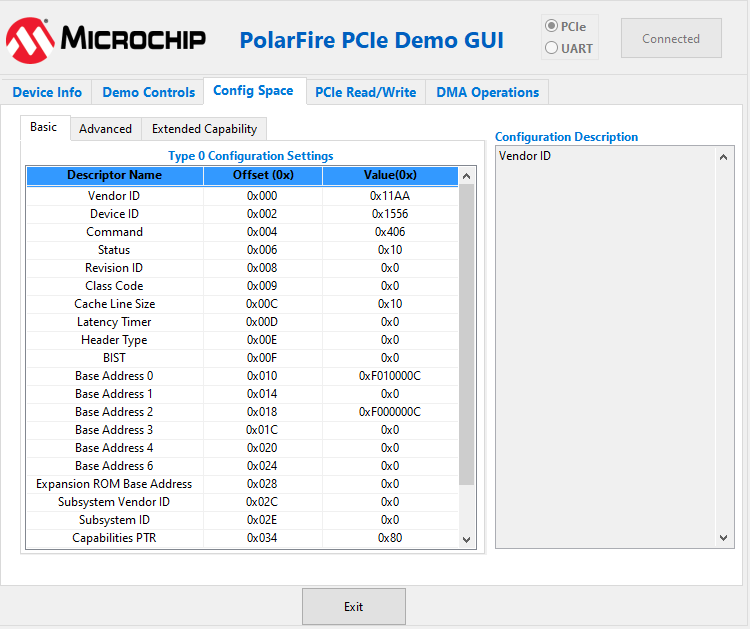
To view the details about the PCIe configuration
space, click Config Space tab, as shown in the following
figure.Figure 4-13. Config Space Tab
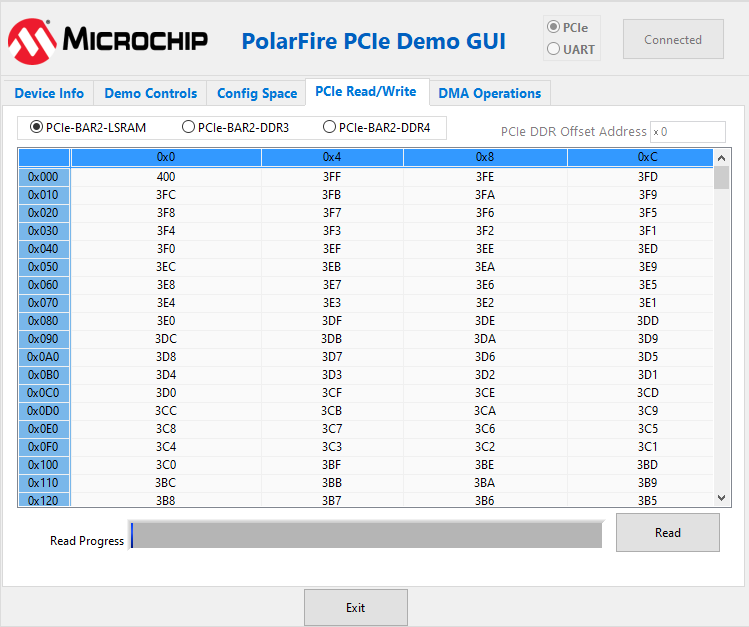
To perform read and write operations to DDR/LSRAM
using BAR2 space, click PCIe Read/Write tab.
Select LSRAM/DDR3L/DDR4
and then click Read to read the 4 KB memory mapped to BAR2
space for DDR and LSRAM, as shown in the following figure.
Important: PCIe BAR2-DDR3L is applicable only for Evaluation
kit.
Figure 4-14. PCIe BAR2 Memory
Access—LSRAM
For different DMA operations such as DDR and
LSRAM, click DMA Operations tab.
Important: DDR3L DMA options are not applicable for Splash Kit demo.
The online versions of the documents are provided as a courtesy. Verify all content and data in the device’s PDF documentation found on the device product page.

 Important: If a warning message is displayed for PolarFire PCIe driver while accessing, uninstall and re-install the driver.