
13.21.8 Finding Compatible Bus Interfaces
The SmartGuide feature helps you complete your design; when you have a specific bus interface on an instance, you can find a compatible instance, component, or core to connect.
To find a compatible bus interface:
- In the Canvas, select the bus interface pin object, right-click, and choose
Find Compatible Bus Interface. This brings up the Find Compatible Bus Interface
dialog box, showing the compatible instances, components, or cores that have the bus
interface.SmartGuide searches all the instances in the current SmartDesign for any compatible bus interfaces. SmartGuide also searches through all the configured components in the Libero IDE project for any compatible bus interfaces, then searches through the Cores Catalog for any cores that may potentially contain a compatible bus interface when generated.
Figure 13-61. Find Compatible Bus Interface Dialog Box 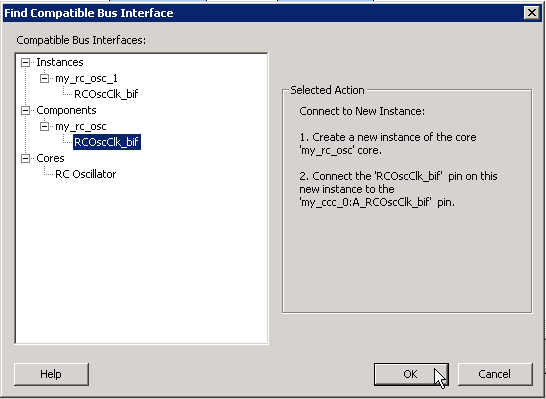
- Select a compatible instance, component or
core and click OK.
- Selecting an instance from this list automatically connects that instance to the selected bus interface.
- Selecting a component from this list automatically instantiates that component into the design and connects it to the selected bus interface.
- Selecting a core from this list automatically brings up the configurator for that core and enables you to generate a new core. It will then be added to the design and connected. Note that it is possible to configure a core such that no compatible bus interface is generated; you will be given the opportunity to reconfigure the core in this scenario.