13.20.1 Automatic Connections
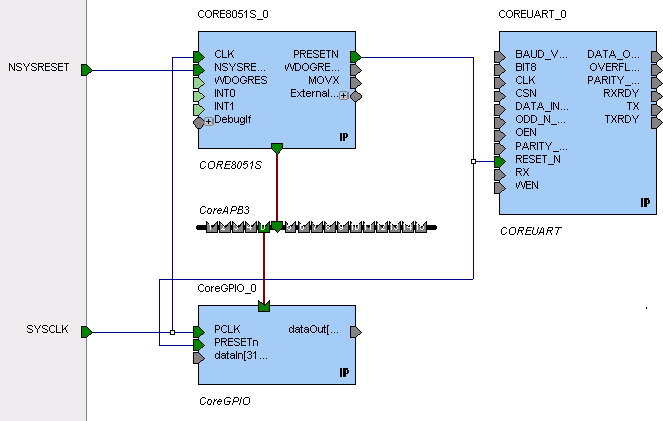
Using automatic connections (as shown in the figure below) enables the software to connect your design efficiently, reducing time required for manual connections and the possibility of introducing errors.
To auto connect the bus interfaces in your design, right-click the design Canvas and select Auto Connect, click the Auto Connect button ; or from the SmartDesign menu, choose Auto Connect.
You can select individual pins or groups on the Canvas to auto-connect. Select the pins, right-click and choose Auto Connect.
SmartDesign searches your design and connects all compatible bus interfaces.
SmartDesign will also form known connections for any SoC systems such as the processor CLK and RESET signals.
If there are multiple potential interfaces for a particular bus interface, Auto Connect will not attempt to make a connection; you must connect manually. You can use the Canvas, Grid or the Find Compatible Bus Interface dialog box to make the manual connection.