
13.22.3 Replacing Components
Components of an instance on the Canvas can be replaced with another component and maintain connections to all ports with the same name.
To replace a component in your design:
- Select the component on the Canvas,
right-click, and choose Replace component for this Instance. The Replace Component
dialog box appears (see figure below).
Figure 13-65. Replace Component Dialog Box 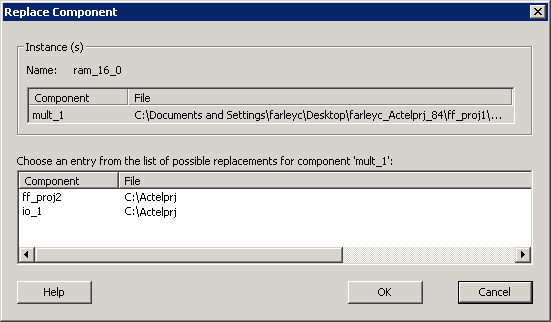
- Select the component you want to replace it with and click OK.