
5.3.4 Designer Views in the Project Manager
Designer views enable you to save different views and backup files for individual projects. You can use views to test different layout runs for a particular project.
You can also check your layout results for each Designer view; to do so, create as many views as you wish, and select them from the Current Designer view drop-down menu (available in the Designer Views Toolbar) and run layout.
To create a new Designer view:
Click the Add Designer view button on the Designer Views toolbar, or from the Current Designer view menu, select Add. The Add Designer View dialog box appears, as shown in the figure below.
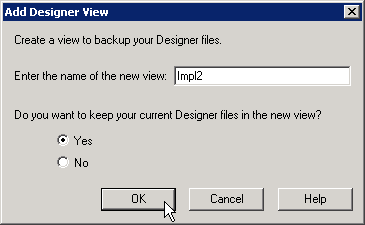
You can use your new Designer view to backup your current implementation files. Enter the name of your new view, and choose to keep your current implementation files or revert to the Project Manager defaults. Click OK to continue.
Your new Designer view appears in the list of views on the Designer Views toolbar.