
15.9.4 Cross-probing between ChipPlanner and SmartTime
Use ChipPlanner with SmartTime to identify the signal path or individual instances in ChipPlanner.
To identify paths in ChipPlanner:
- In the Design Flow window, click ChipPlanner to display the chip view, and then click Timing Analyzer to display the SmartTime Timing Analyzer.
- In the SmartTimeTiming Analyzer, select the clock domain in the Domain Browser.
- Select a set in the Path list (as shown
below) and the paths within that set are displayed in the Path Details
(lower table). The Paths List displays timing information for various categories.
Figure 15-49. Path Details of Selected Path Highlighted 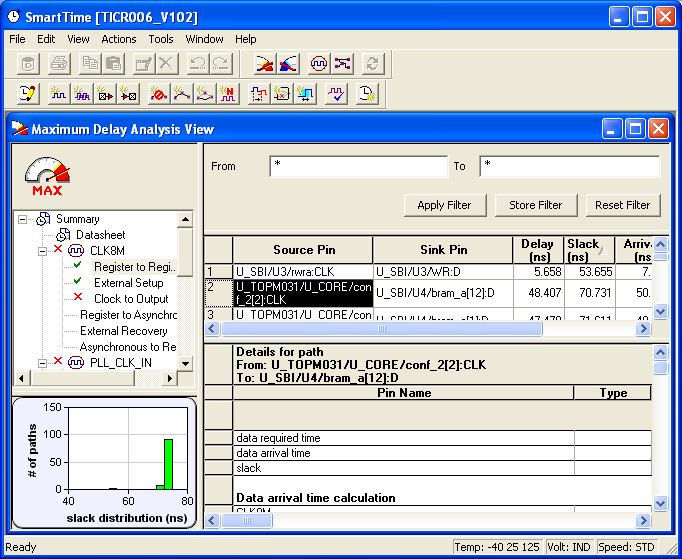
- Select the path to cross-probe.
- Right-click the selected path, and choose Cross-probe selected paths from the right-click menu. All objects in the selected path appear highlighted in ChipPlanner (as shown below).
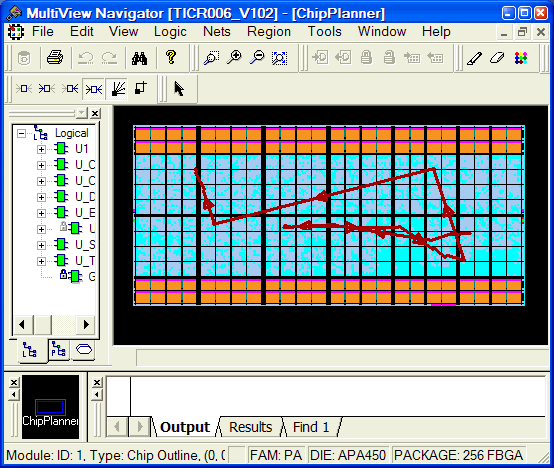
To cross-probe an object with ChipPlanner:
- In the Design Flow window, click ChipPlanner to display the chip view, and then click Timing Analyzer to display the SmartTime Timing Analyzer.
- In the SmartTimeTiming Analyzer, select the clock domain in the Domain Browser.
- Select a path in the Paths List, right-click it, and choose Expand selected paths from the right-click menu.
- Select any instance in the SmartTime Expanded Path View. The instance appears highlighted in both SmartTime and ChipPlanner.
- To cross-probe the path of the selected object, right-click the instance, and choose Cross-probe Path from the right-click menu. All objects in the selected path appear highlighted in ChipPlanner.
When you cross-probe a path in ChipPlanner, the default view is the Ratsnest view, shown in the following example.
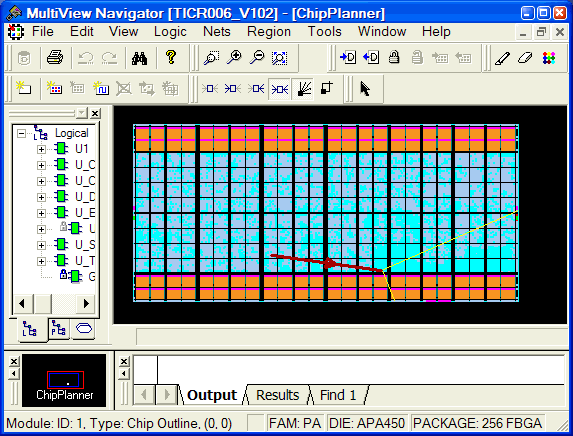
The critical cross-probed path appears highlighted in ChipPlanner as a solid line with arrows indicating the direction of the path. The color of the line is the color you selected for the highlight color.
You can right-click a selected cross-probed path, choose Properties to display the Path Properties dialog box, and do one of the following:
- Rename the cross-probed path
- Assign a different color to the cross-probed path
You can create more than one cross-probed path in ChipPlanner, building one path on top of another. ChipPlanner does not delete paths you have cross-probed. When you save your design, the cross-probed paths are also saved in your design (.ADB) file.
For more information, see the SmartTime User’s Guide.