
13.13.1 Creating a New SmartDesign Component
- From the File menu, choose New or
press the SmartDesign button in the Project Manager Project Flow window. The New
dialog box opens (see figure below - file types vary depending on your project settings).
Figure 13-24. New Dialog Box 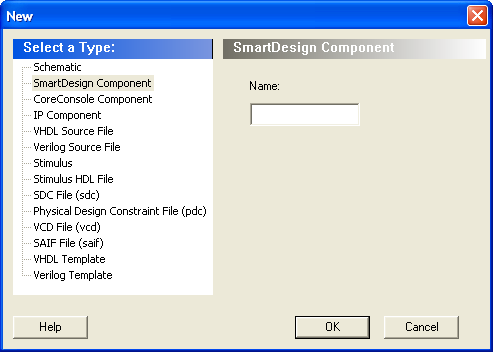
- Select SmartDesign Component, enter a component name and click OK. The component appears in the Hierarchy tab of the Design Explorer. Also, the main window displays the design Canvas.
Note: The component name must be unique in your project.