
4.3.4 Running BAR2 Memory Read/Write Commands
(Ask a Question)In the demo, the Root port can initiate BAR2 memory read/write commands for reading/writing to Endpoint LSRAM/DDR3/DDR4.
The PCIe Read/Write tab on the GUI is used to initiate these commands. The Endpoint LSRAM/DDR3/DDR4 memory is first read, and then a value can be entered in a specific location to initiate the write command.
To run BAR2 read/write, perform the following steps:
- Select BAR2-LSRAM
option and click Read button, as shown in the following
figure.
Figure 4-11. BAR2—LSRAM Read Option 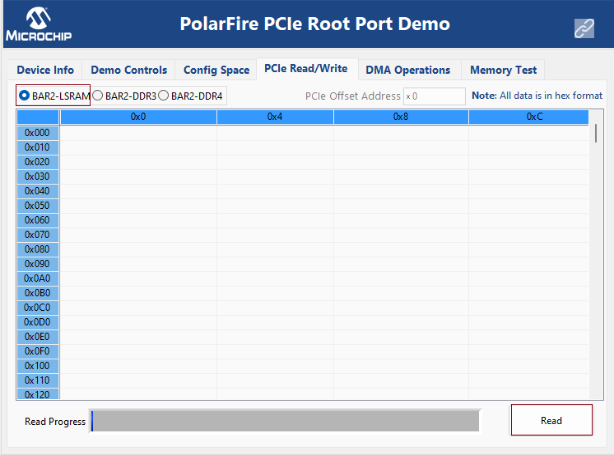
- Select any memory location and edit the
value of that location. For example, see the following figure.
Figure 4-12. BAR2—LSRAM Write 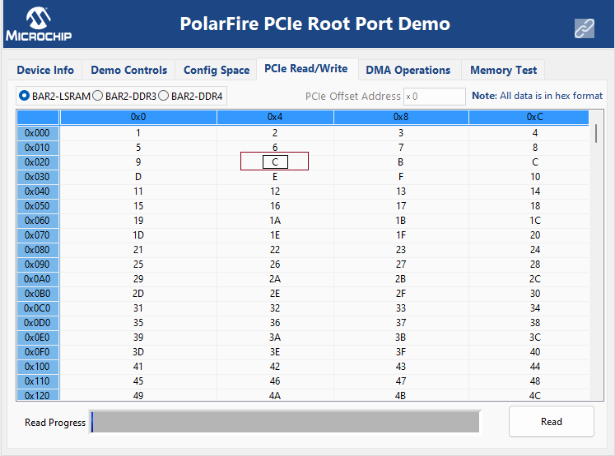
- The edited memory location turns green
and the value entered is written to the Endpoint LSRAM memory location, as shown in the
following figure.
Figure 4-13. BAR2—LSRAM Write Successful 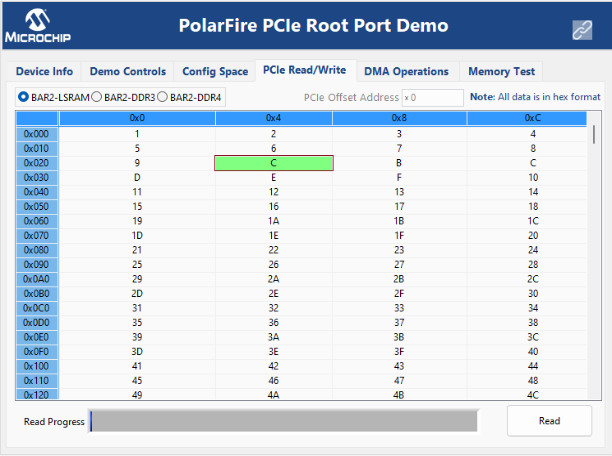
- Similarly change any other memory location also.
- Click Read button to check whether the memory locations contain the latest values or not.
- Similarly, run the BAR2-DDR3 and BAR2-DDR4 memory read/write.