
4.3.3 Reading MSI Count Values
(Ask a Question)In the demo, Root Port can read the MSI count values for push-button interrupts on the Endpoint board.
To read the MSI count values:
- Click Enable Interrupt
Session button, as shown in the following figure.
Figure 4-9. Enable Interrupt Session Option 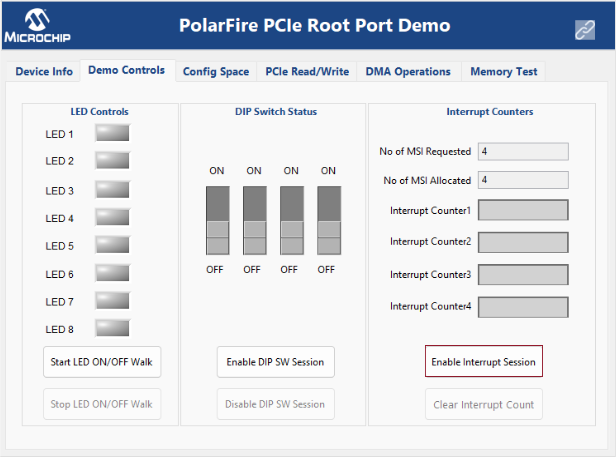
When the Interrupt session is enabled, the GUI sends the Enable Interrupt session request to the RISC-V processor. PF_PCIE_0 receives the number of MSI requested by the Endpoint. The following table lists the four types of MSI allocated by Root port in the reference design.
Table 4-1. Allocated MSIs MSI Number Interrupt Type on the Endpoint Board Mapped Interrupt Counter on the GUI 1 SW10 Interrupt Counter1 2 SW9 Interrupt Counter2 3 SW8 Interrupt Counter3 4 SW7 Interrupt Counter4 - Press switch and observe interrupt
count.
Figure 4-10. Interrupt Counter4 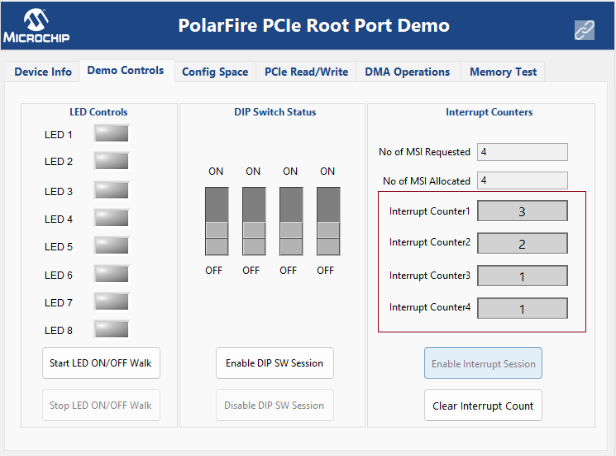
- Click Clear Interrupt Count button to clear all of the Interrupt counters on the GUI.