5.5.3.2 Physical Constraints
(Ask a Question)QDR subsystem can be placed only in the pre-defined locations that are optimized for maximum performance. The maximum width of the QDR subsystem varies based on die/package combination and placement. For information about the QDR placement, see the PolarFire, PolarFire SoC, and RT PolarFire Package Pin Assignment Tables.
The QDR subsystem location is selected using the I/O Editor. Libero assigns I/Os based on the selection of DDR memory location. The following steps explains the selection of the QDR Subsystem Location:
- Click Design Flow >
Constraint Manager > I/O Attributes > Edit with I/O
Editor.
Figure 5-16. Design Flow Window: I/O Editor 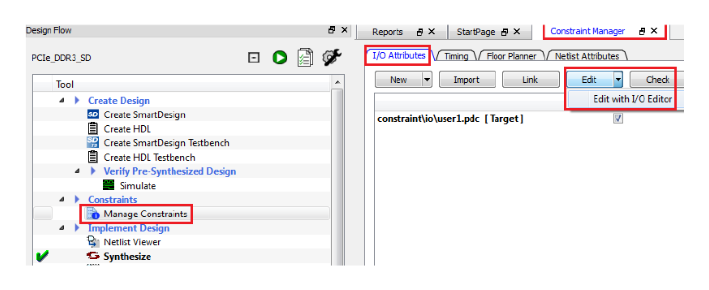
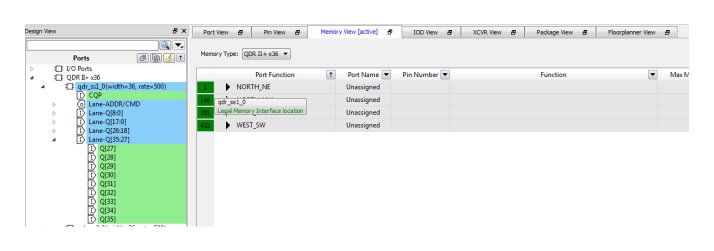
- Select the Memory View tab in I/O Editor. Select the appropriate Memory Type to get the valid locations for the chosen memory.
- Select the appropriate QDR instance from
the Design View window, and drag it onto Port Function. For the selected
QDR instance, I/O Editor shows the valid locations in green.
Figure 5-17. Design View Window: Port Function