5.6.1 RTL_FULL Simulation
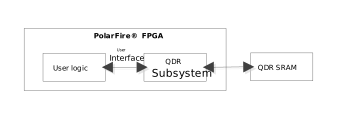
(Ask a Question)The QDR subsystem is used to access QDR SRAMs directly, as shown in the following figure. User logic is connected directly to the QDR subsystem using the user interface.
After successful QDR initialization, the User Interface Master initiates Read or Write to the QDR memory. The following steps describe how to create a design for accessing the QDR memory from the user interface master in the FPGA fabric:
- Create a SmartDesign, and instantiate the QDR component.
- Configure the QDR Subsystem as described in Implementation. In the following
example, a design is created to access the QDR memory with 36-Bit Data Width, 19-Bit
Address Width and Burst size of 4.
Figure 5-26. QDR Configuration- RTL_FULL 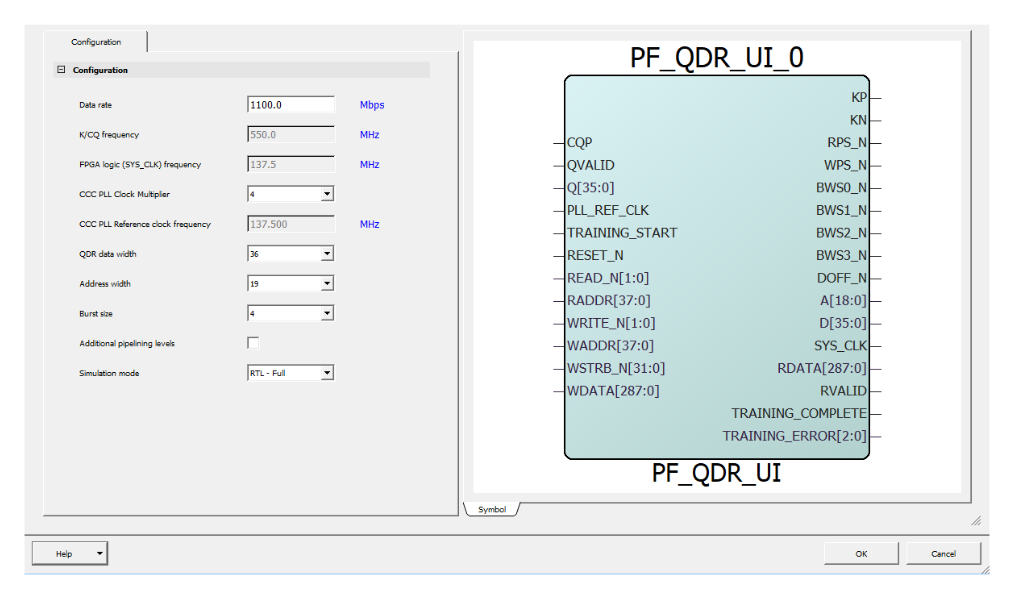
- Instantiate the User Interface Master logic in the SmartDesign canvas. Ensure that the User Interface Master logic accesses the QDR subsystem only after TRAINING_COMPLETE is high.
- In the SmartDesign canvas, connect the blocks, as shown in the following figure.
Figure 5-27. SmartDesign Connections 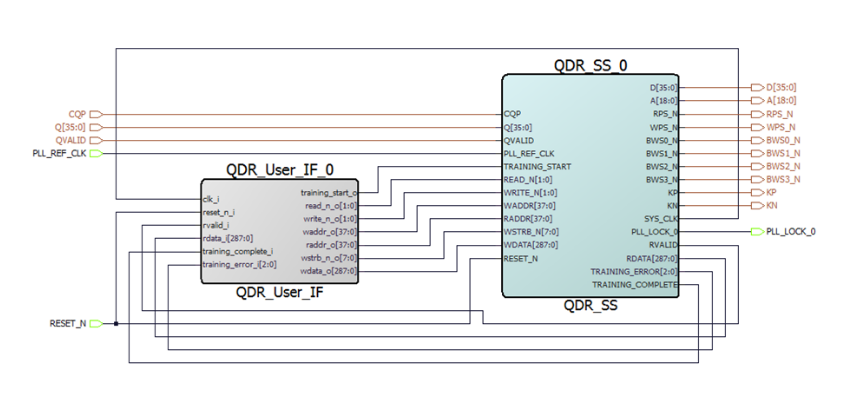
- Create a new SmartDesign Testbench to simulate the design.
- Instantiate the top-level design component and the QDR memory simulation model.
- Configure CLK_GEN to generate the PLL reference clock and connect to PLL_REF_CLK.
- Connect the blocks in SmartDesign Testbench, as shown in the following figure.
Figure 5-28. QDR SmartDesign Testbench 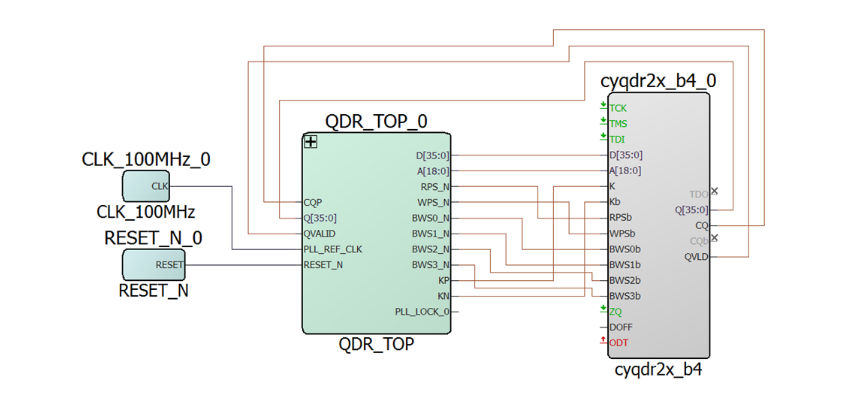
- On , select Simulate.
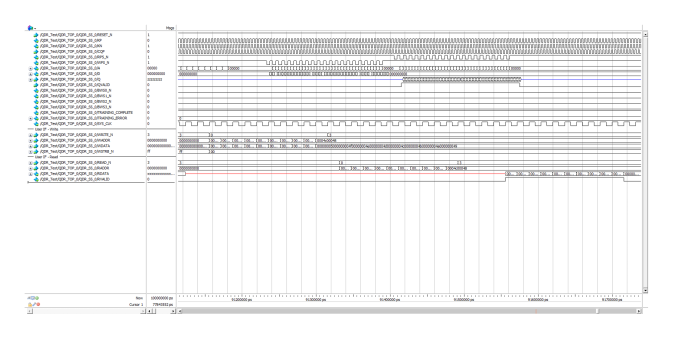
- The QDR subsystem performs the training and asserts the TRAINING_COMPLTETE. The
following figure shows the User interface read and writes transactions and the
corresponding QDR SRAM transactions.
Figure 5-29. QDR Read and Write Transactions- RTL_FULL