2.3.1 PolarFire Initialization Monitor
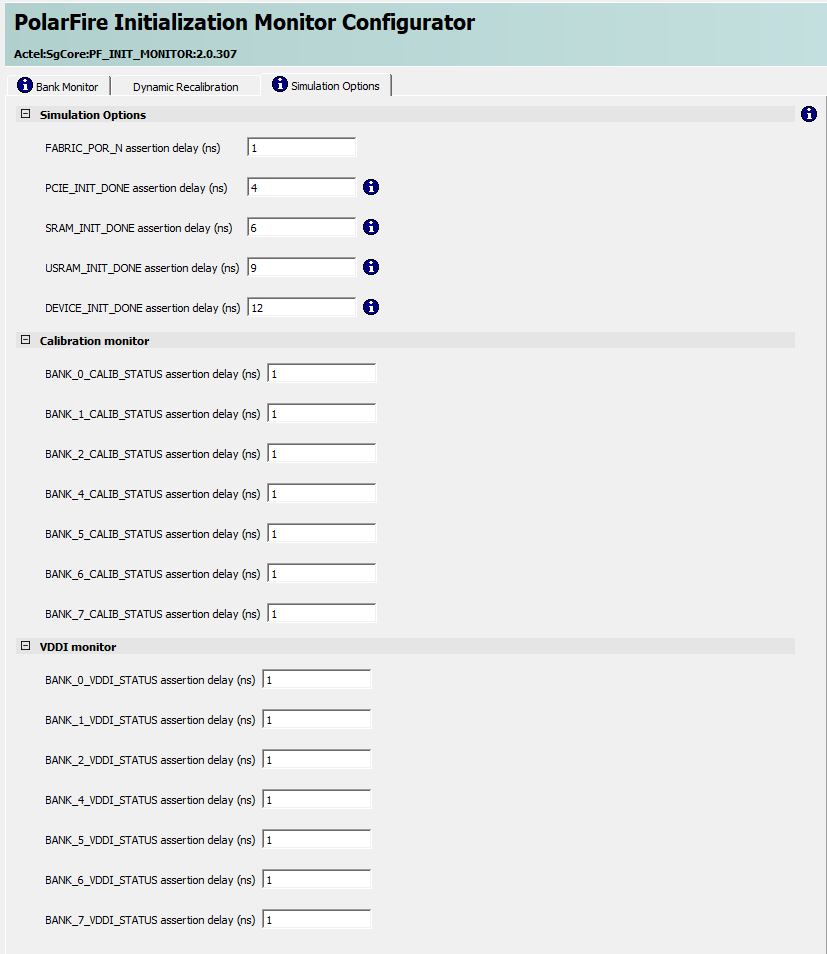
(Ask a Question)PolarFire Initialization Monitor (PF_INIT_MONITOR) is an available IP that exposes the device configuration status to the FPGA fabric. This IP must be instantiated in the FPGA fabric in all designs and is used to gate the operation of user fabric logic until the device initialization is complete. The assertion of DEVICE_INIT_DONE signifies the completion of device configuration.
PolarFire family of devices has a System Controller Suspend mode feature that can be used to force the system controller into reset after device initialization is complete. This mode is desirable for safety-critical applications to protect the device from unintended device programming or zeroization of the device due to Single Event Upset (SEU) events.
When using the System Controller Suspend mode feature, all system controller outputs to the FPGA fabric are set to "0." Therefore, it is important to configure the PF_INIT_MONITOR IP core to latch the system controller outputs during the System Controller Suspend mode, especially if the output signals are used to derive a Reset signal for the user logic. Further, the exposed CLK_160_MHZ port must be connected to the internal 160 MHz RCOSC.
When the System Controller Suspend mode is exited, the latches used by the PF_INIT_MONITOR IP core are cleared, causing any active-low fabric resets, derived from output signals such as DEVICE_INIT_DONE, to get asserted.
The PF_INIT_MONITOR IP is available in the IP Catalog under Clock and Management, as shown in the following figure.
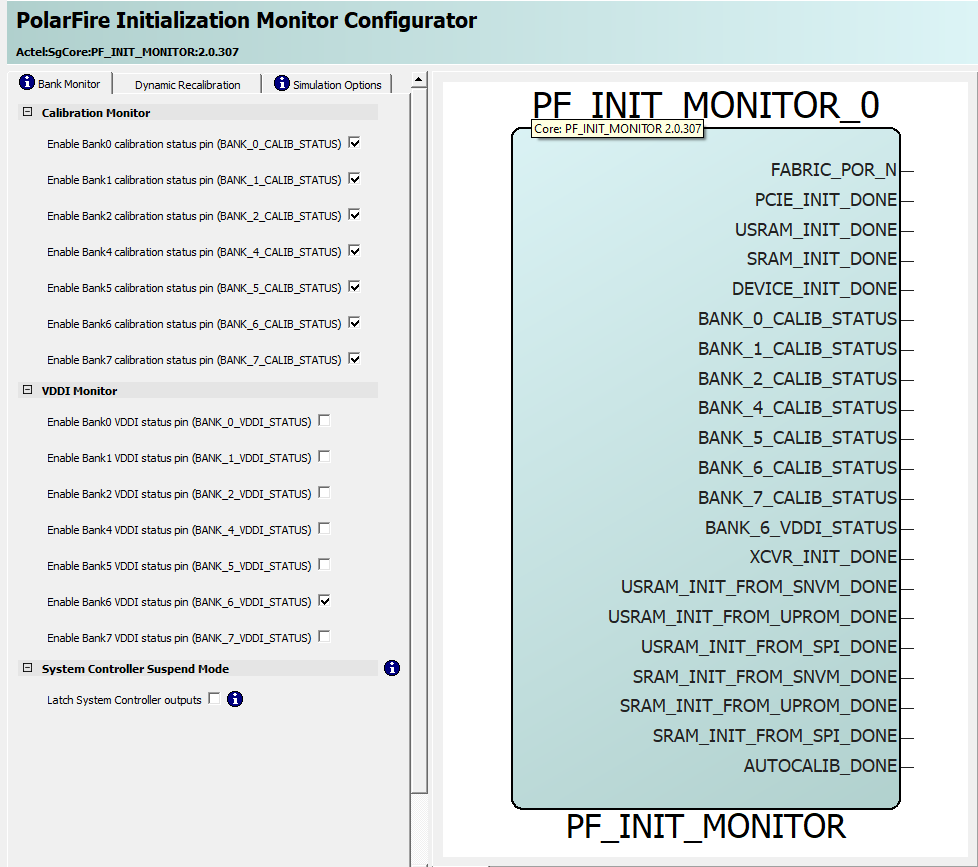
The following figure shows the Dynamic Recalibration tab.
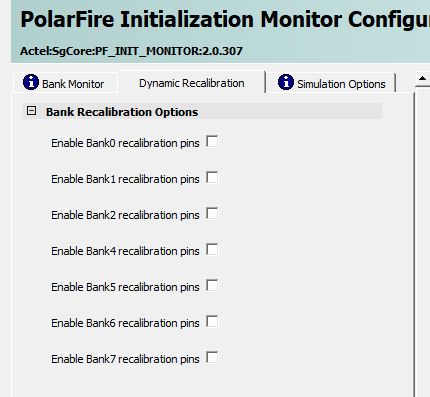
PolarFire Initialization Monitor provides simulation support. Use the Simulation Options tab to specify the time of releasing the output signals from the zero time instance. The following figure shows the Simulation Options tab.