
5.6.6 Source Files for Synthesis
The Source Files for Synthesis dialog box enables you to set the synthesis file order in the Project Manager.
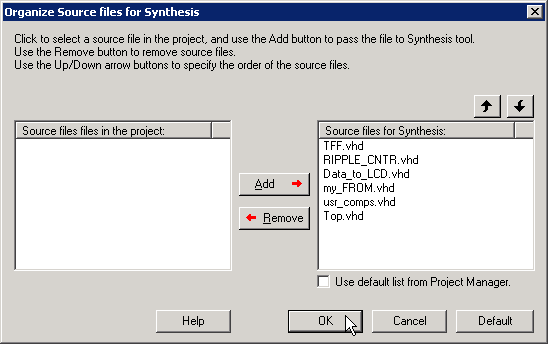
De-select the Use default list from Project Manager checkbox to Add/Remove source files for synthesis.
To specify the synthesis file order:
- From the Projectmenu, choose . The Organize Source Files for Synthesis dialog box appears.
- De-select the Use default list from Project Manager checkbox to Add/Remove source files for synthesis. Click the Default button to reset the options to the original settings.
- Click OK.