
9.10.4 Configuring FlashROM Settings in FlashPro®
To configure the FlashROM settings:
- From the Configuration menu, choose Load Programming File (PDB).
- Select the PDB file and click Open, this loads the programming file.
- From the Configuration menu, choose PDB Configuration. The Programming File Generator appears.
- Check the FlashROM
checkbox and click Browse to load a FlashROM
configuration file. Click Next. This brings up the
FlashROM Settings dialog box (see figure below).
Figure 9-124. FlashROM Settings Dialog Box 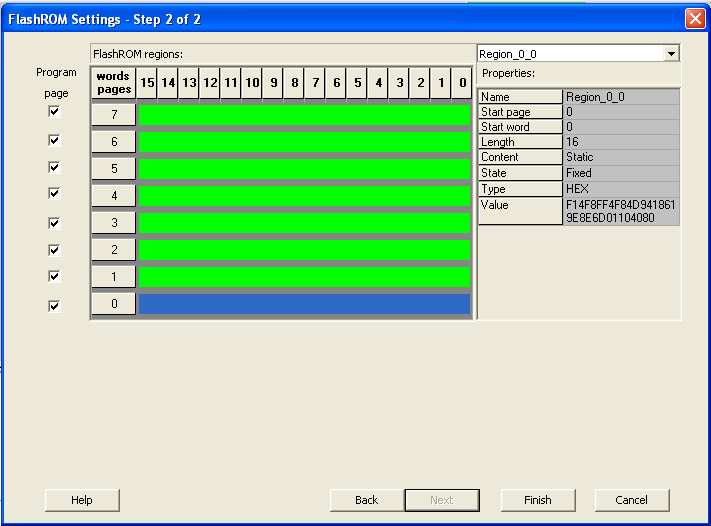
- Select the FlashROM memory page that you want to program.
- Enter the data value for the configured regions.
- If you selected the region with a Read From File, specify the file location.
- If you selected the Auto Increment region, specify the Start and Max values.
- Enter the number of devices you want to program.
- Click the Target Programmer button. The Select Programmer Type dialog box appears.
- Click Finish. FlashPoint generates your programming file.
Note: You cannot change the FlashROM region configuration from FlashPoint.
You can only change the configuration from the FlashROM core generator.