
9.10.1 Configuring Security, FlashROM and Embedded Flash Memory Settings in FlashPro®
- From the Configuration menu, choose Load Programming File (PDB).
- Select the PDB file and click Open, this loads the programming file.
- From the
Configuration menu, choose PDB
Configuration. The Programming File Generator appears.
Figure 9-119. Programming File Generator 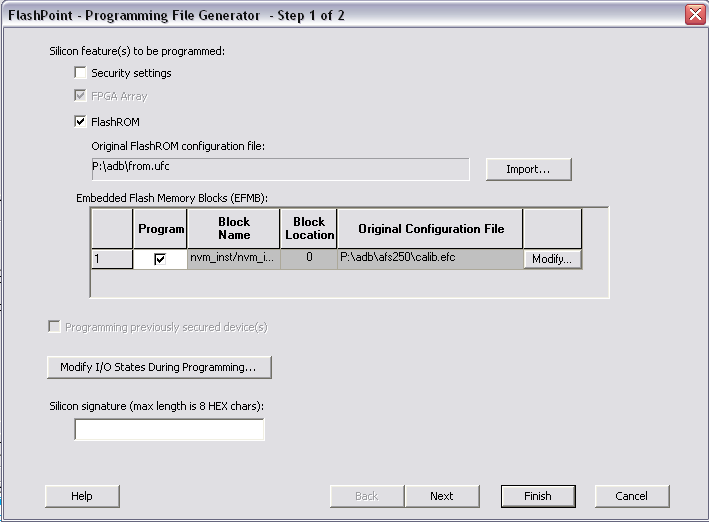
- Select the Silicon feature(s) you want to program:
- Check the Programming previously
secured device(s) box if you are reprogramming a device that has been
secured.
Because the IGLOO®, ProASIC3, SmartFusion® and Fusion families enable you to program the Security Settings separately from the FPGA Array and/or FlashROM, you must indicate if the Security Settings were previously programmed into the target device. This requirement also applies when you generate programming files for reprogramming.
- Enter the Silicon signature (0-8 HEX characters).
- Click Next.