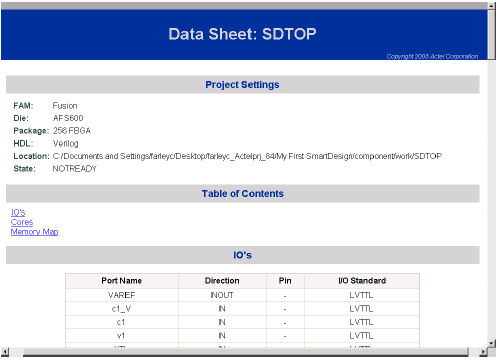
5.14.6 Memory Maps / Data Sheet
If your design contains standard Bus Instances such as the DirectCore AMBA bus cores, CoreAPB or CoreAHB, then you can view the Memory Map Configuration of your design. To do so, from the SmartDesign menu, choose Show Memory Map / Data Sheet.
The design’s memory map is determined by the connections made to the bus component. A bus component is divided into multiple slots for slave peripherals or instances to plug into. Each slot represents a different address location and range to the Master of the bus component.
The datasheet reports the memory map of the different subsystems of your design, where a subsystem is any independent bus structure with a Master and Slave peripheral attached.
Connecting peripherals to busses can be accomplished using the normal SmartDesign connectivity options:
- Auto-Connect - the system finds compatible bus interfaces and connects them together
- The Modify Memory Map dialog box
- Canvas - Make connections between your blocks.
- Finding compatible bus interfaces
Your application and design requirements dictate which address location (or slots) is most suitable for your bus peripherals. For example, the memory controller should be connected to Slot0 of the CoreAHB bus because on Reset, the processor will begin code execution from the bottom of the memory map.