
5.14.7 Modify Memory Map Dialog Box
The Modify Memory Map dialog box (shown in the figure below) enables you to connect peripherals to buses via a drop-down menu. To open the dialog box, right-click on the Canvas or specific bus instance and choose Modify Memory Map.
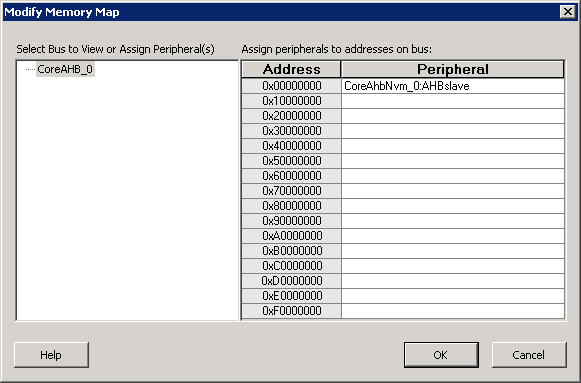
Click the Peripheral drop-down menu to select the peripheral you wish to assign to each address. To remove (unassign) a peripheral from an address, click the drop-down and select the empty element.
Click OK to create the connections between the busses and peripherals in the design.