1.7.1 Simulation Flow
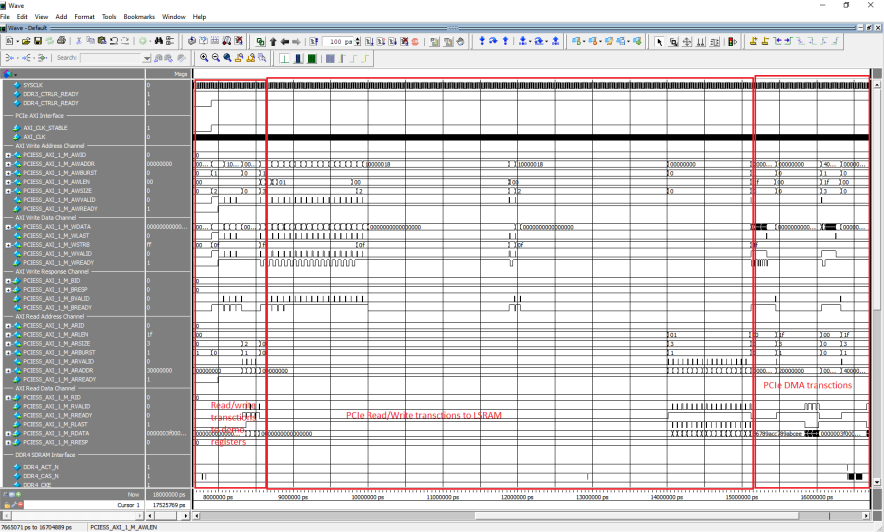
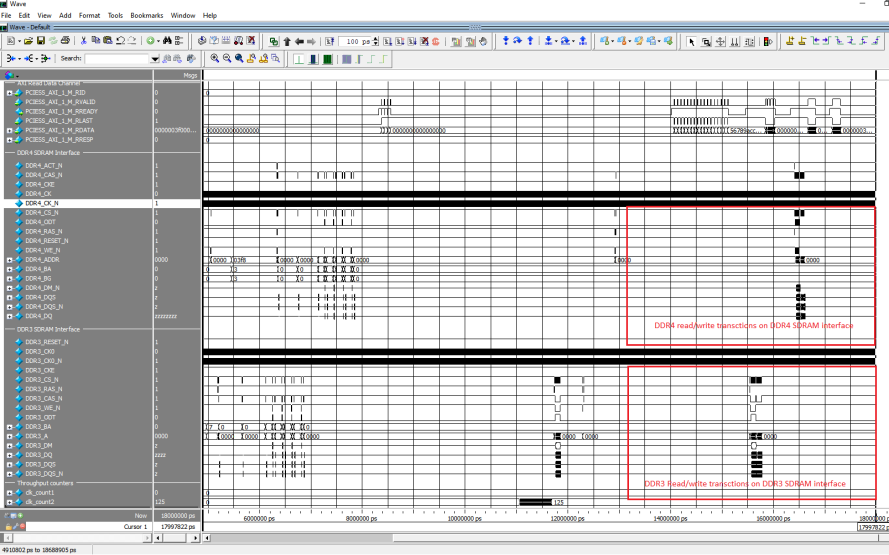
(Ask a Question)The following steps describe the PCIe BFM simulation flow.
- At the start, the
NSYSRESTsignal, reset all the components. - DDR3L and DDR4 memory controllers initializes the DDR3L/DDR4 memories and release the CTRLR_READY.
- The PCIe BFM starts executing the BFM script
PCIex4_PCIex4_0_PF_PCIE_PCIE_1_user.bfm. - The PCIe EndPoint AXI4 initiator interface initiates write and read burst transactions to SRAM_AXI_0, DDR3L and DDR4 through CoreAXI4Interconnect as per the .bfm script.
- After 18 µs, the simulation completes. PCIE1 BFM Simulation Complete – 282 Instructions – NO ERRORS message is displayed for Evaluation kit.
- After 15 μs, the simulation completes. PCIE1 BFM Simulation Complete – 272 Instructions – NO ERRORS message is displayed for Splash kit. The ModelSim® transcript window displays the BFM commands
Important:
- While running the scripts, simulation is running in batch mode by default which takes more time for the design to complete the build and compile flow. If users do not want to run the simulation, they can comment the simulation flow command in the
script.tcl. - For evaluation kit simulations, users might get errors in the Simulation window and user can ignore them.
The ModelSim transcript window displays the BFM commands execution messages.
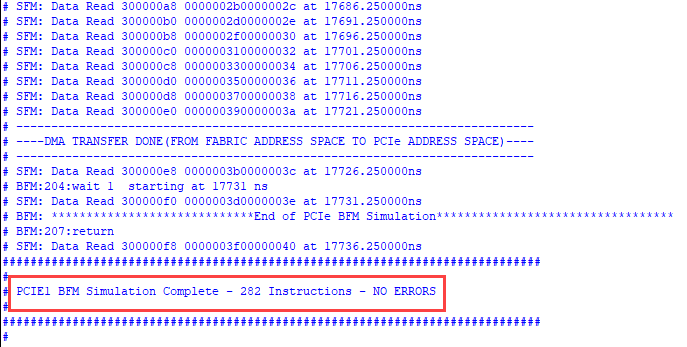
The following figure shows the actual Waveform window displaying the sequence of data being written and read using BFM.