
1.19 Test the Application
- Open a terminal application (e.g., PuTTy).
- Configure the baud rate for “115200”.
- Press the Reset button on the
SAM E54 Curiosity Ultra Development Board.
The following messages become visible in the terminal window.

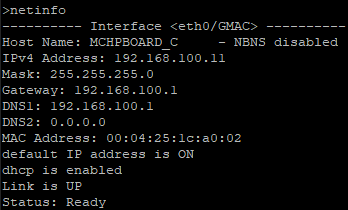
- Type “netinfo” in the terminal window.
- Press Enter to see the network
status.
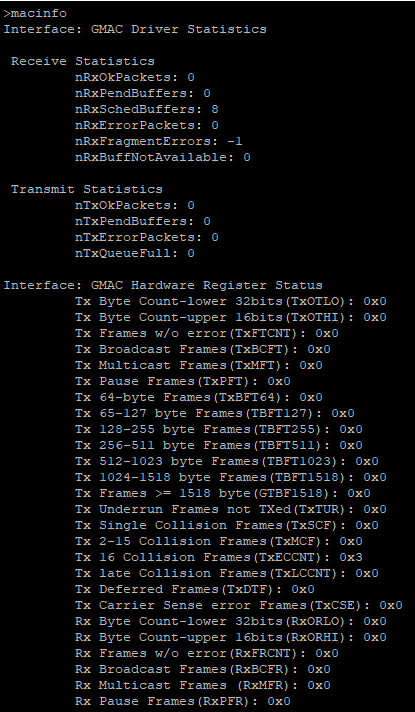
- Type “macinfo” in the terminal window.
- Press Enter to see the MAC
status.
- Type “ping <Ip address of other
node>” in the terminal window.
You should get a reply for your request if the network was established.
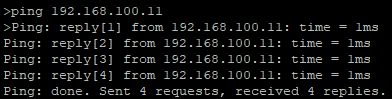
You have successfully created and tested your TCP/IP application.
- Create an IPERF UDP server on one
node and type “iperf -s -u” in the terminal window.
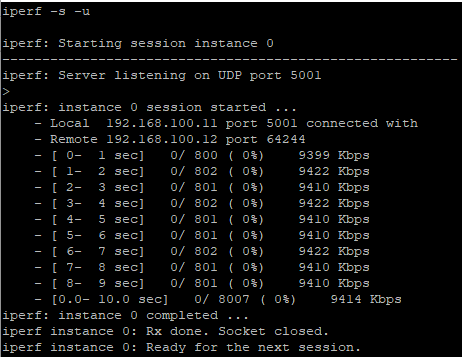
- Create an IPERF UDP client on the
other node and type “iperf -c <SERVER_IP_ADDR> -u -b 10M” in the terminal
window.
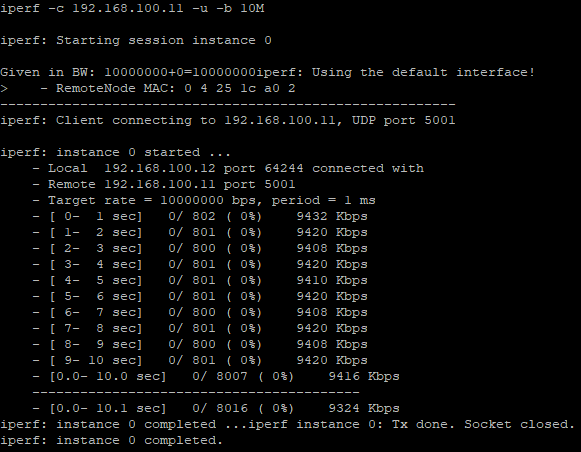
You can see the throughput on the 10BASE-T1S network, which is ~9.5 Mbps