1.15 Code Generation
After configuring the MPLAB Harmony components, the next step is to generate the source files based on these configurations. First, you need to update all components that have been added or modified.
- Click the “MCC” tab.
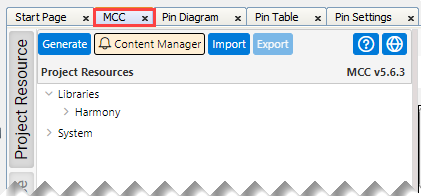
- To update all modules:
- Click the “Project Resource” tab.
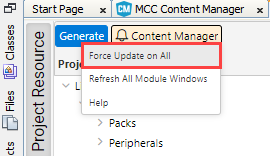
- Right-click the
Generate button and select “Force Update on All”.
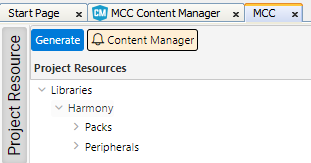
- To start the code generation, click
the Generate button (see below).
- After successful code generation,
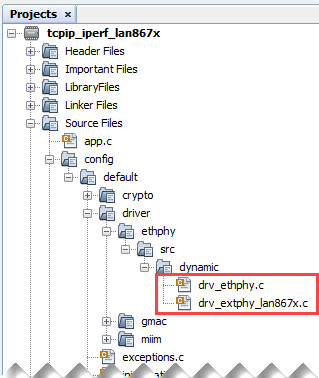
verify in the “Projects” tab if the files drv_ethphy.c and
drv_extphy_lan867x.c have been added.
To do this, click the “Projects” tab on the left-hand side and navigate through the tree.
The result should look as follows: